
Speaker Recognition/Separation
Starting from version v3.93, speaker recognition is supported. Four different models are available and can be adjusted in the menu: Tools -> Advanced Options -> Speech Recognition Parameters section.
Note: Due to the limitations of current model performance, speaker recognition is not highly accurate.
Check the Speaker Recognition checkbox in the software interface to enable it.
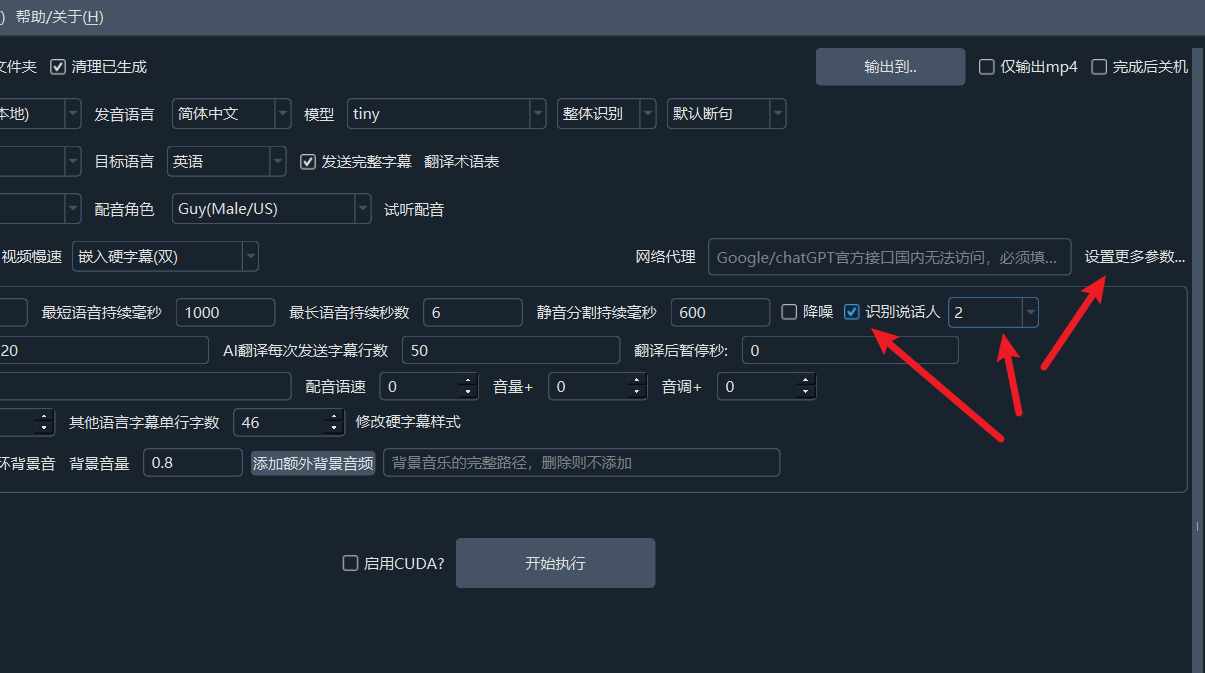 The number following this checkbox determines the number of speakers to identify. By default, it is unlimited. If you know the number of speakers, it is recommended to select a specific number (2-10) to improve recognition accuracy.
1. Default Chinese/English Speaker Separation Model
This model is built-in and ready to use out of the box, requiring no special configuration. The Chinese model is models/onnx/3dspeaker_speech_eres2net_large_sv_zh-cn_3dspeaker_16k.onnx. The English model is models/onnx/nemo_en_titanet_small.onnx.
2. Using the pyannote Speaker Diarization Model speaker-diarization-3.1
Note: This is a private model. You must visit the official model repository, fill in the information, and agree to the terms to use it legally.
Ensure you can access the website https://huggingface.co/pyannote/speaker-diarization-3.1 (this site is blocked in some regions) and have an account. If not, please register for free and log in.
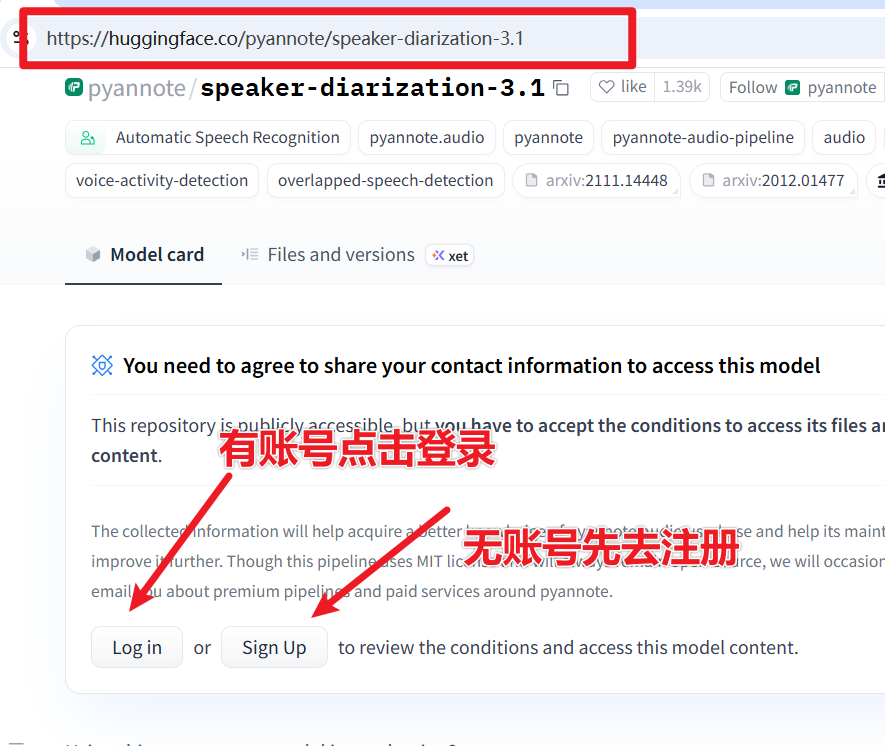
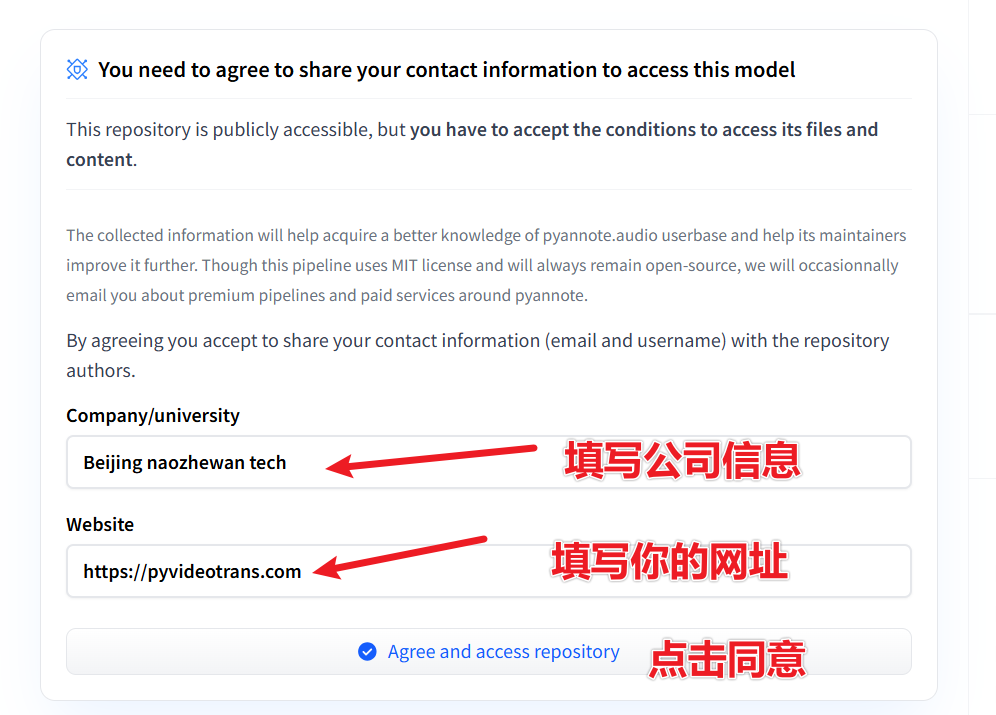
Log in and open this URL: https://huggingface.co/pyannote/speaker-diarization-3.1. Fill in the relevant information as shown in the image, then click
Agree and access repository.
- Then visit this URL: https://huggingface.co/settings/tokens/new?tokenType=read Enter any English name, click
Create token, as shown below.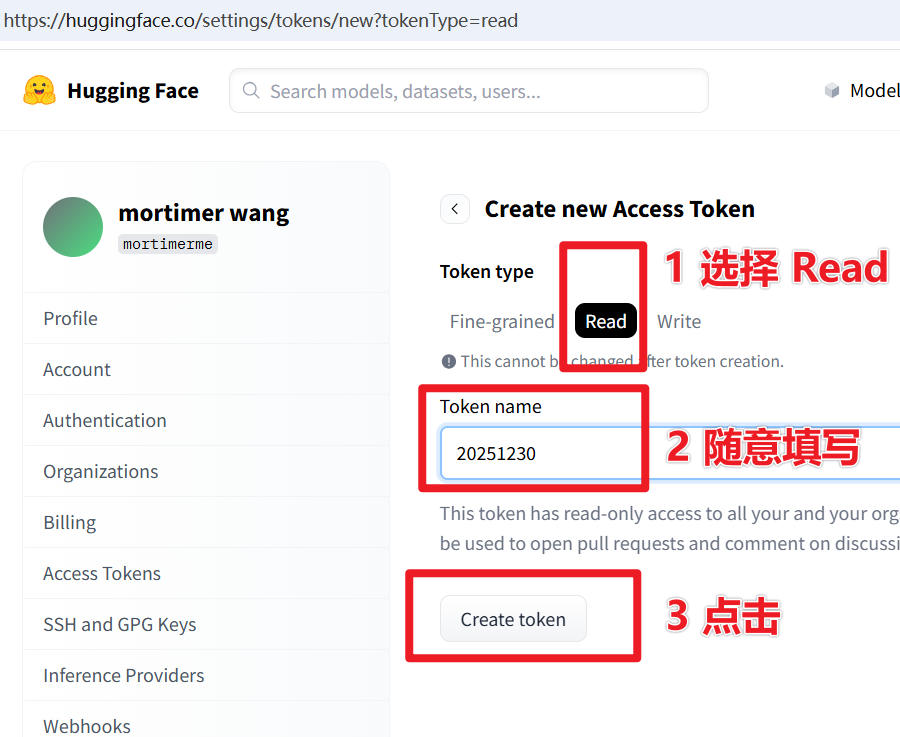
In the pop-up token interface, copy this token string, as shown below.
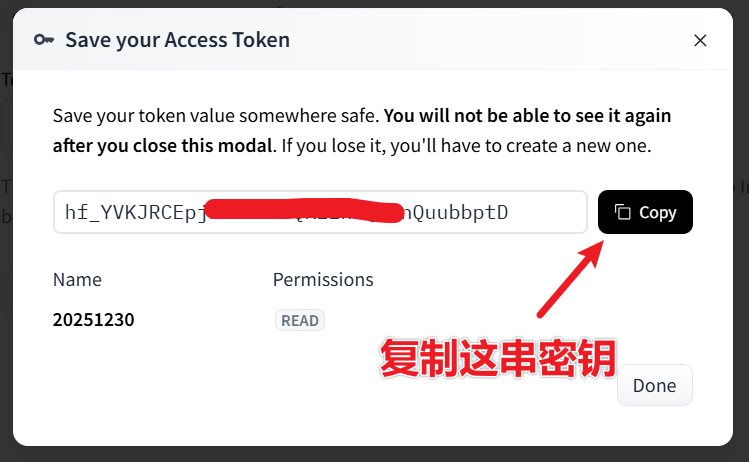
- Open the pyVideoTrans software, click the menu: Tools -> Advanced Options -> find the Speaker Separation option. In the dropdown menu, select
pyannote, and paste the token you just copied into theHuggingface tokenfield, as shown below.
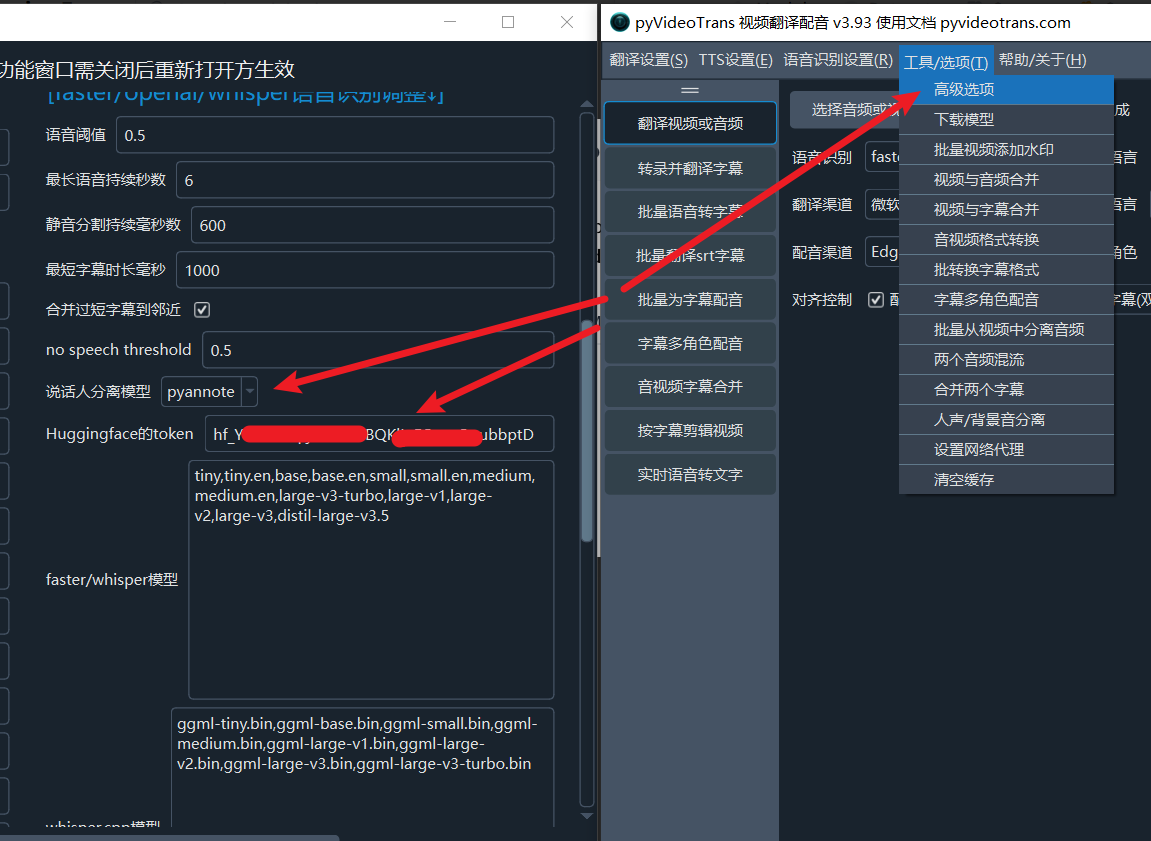
Click Save, and it's ready to use.
3. Using the reverb Speaker Model
This model is a variant of pyannote, with similar usage and requirements. For details, see https://huggingface.co/Revai/reverb-diarization-v1.
4. Using Alibaba's CAM++ Speaker Recognition Model
It will be downloaded online upon first use and supports both Chinese and English speech.