
ElevenLabs Speech Recognition Guide
What is ElevenLabs Speech Recognition?
ElevenLabs is a leading AI voice technology company whose speech recognition model scribe supports transcribing audio in 99 languages. pyVideoTrans integrates ElevenLabs' speech recognition interface, allowing you to leverage its high-accuracy recognition for subtitle generation, with free credits available — no credit card required to get started.
Prerequisites
- A valid email address for registering an ElevenLabs account
- Stable internet connection
- pyVideoTrans software version v3.59 or higher
Registration and API Key Setup
Visit the ElevenLabs website: https://elevenlabs.io/ and register with your email. The process is simple — no phone verification, no credit card, no payment required.
After logging in, go to the settings page: https://elevenlabs.io/app/settings/api-keys
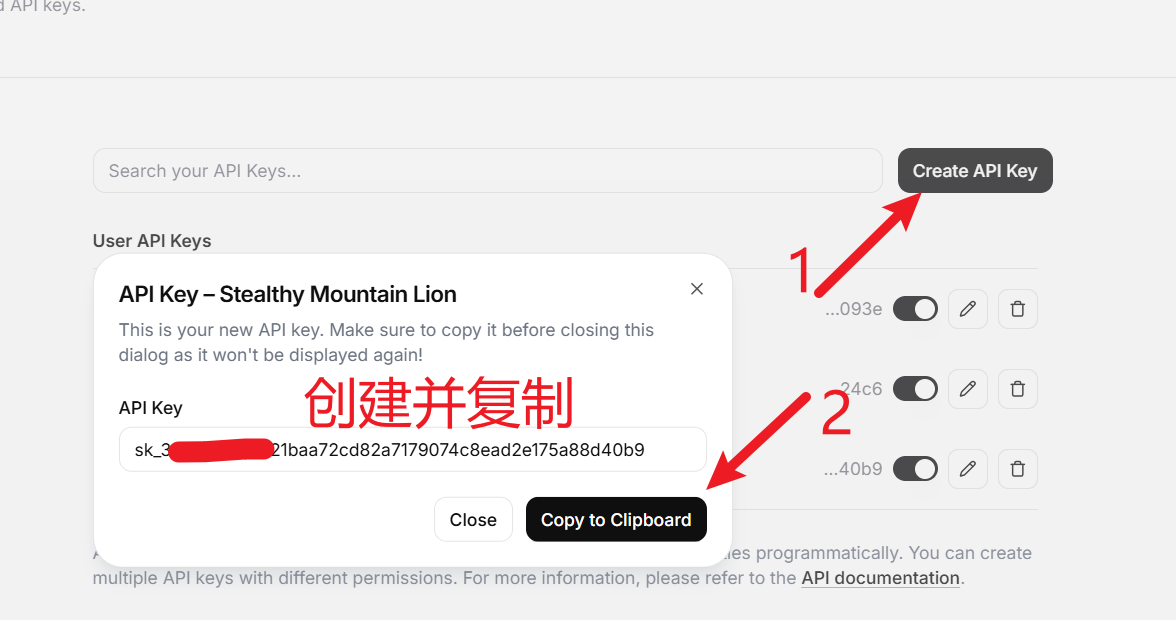
Click "Create API Key" to generate a new API Key, then copy and save it.
Configuring ElevenLabs in pyVideoTrans
Open pyVideoTrans and navigate to the menu's "TTS Settings", then select "Elevenlabs.io".
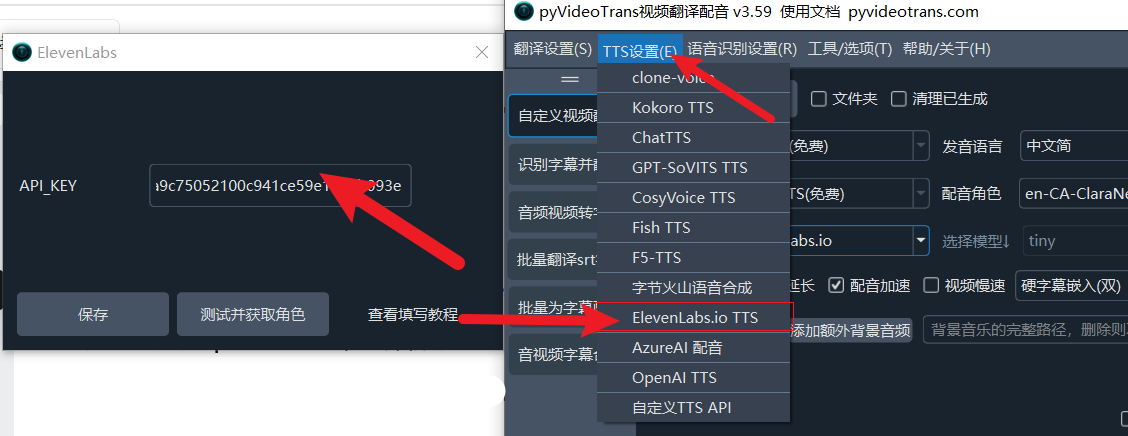
In the configuration window:
- API Key: Paste the ElevenLabs API Key you copied earlier
- Other settings can remain at defaults
Click Save to complete the configuration.
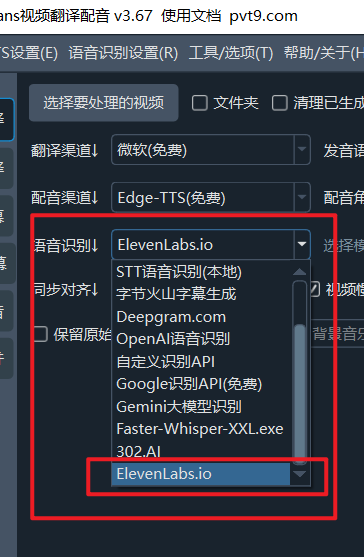
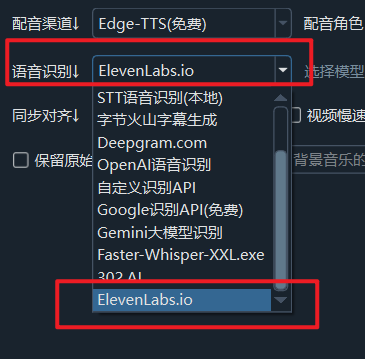
In the software's main interface, select "Elevenlabs.io" from the speech recognition channel dropdown to use ElevenLabs for speech recognition.
Supported Models and Options
ElevenLabs provides two speech recognition models:
- scribe_v2: Latest model, supports specifying a language code (language_code), with higher accuracy
- scribe_v1: Classic model, no language code needed — auto-detects language
Advanced options include:
- diarize: Enable speaker diarization to distinguish different speakers in the audio
- word-level timestamps: Provides word-level timestamps for precise segmentation
Optimal Configuration
- Model selection: For Chinese recognition, use scribe_v2 with the language code set to "zh" for the best results.
- Speaker diarization: Enable the diarize option if the video has multiple speakers.
- Segmentation strategy: The software automatically segments based on punctuation, silence duration (>=200ms), and paragraph length (>=500ms).
- File size limit: Single file limit is 1GB — ensure your video file does not exceed this.
Common Errors and Solutions
Error: Invalid API Key Ensure the copied key is correct and contains no extra spaces.
Error: File too large to process ElevenLabs has a 1GB per-file limit. Compress or split large video files first.
Error: Inaccurate recognition results Try specifying the correct language code, or switch models (e.g., from v1 to v2).
Error: Network connection issue Ensure your network can access elevenlabs.io. Configure a proxy if necessary.
Using ElevenLabs Directly on the Web
In addition to using it through pyVideoTrans, you can also use ElevenLabs' speech recognition directly on their website:
Visit the Speech to Text page: https://elevenlabs.io/app/speech-to-text
After logging in, click the "Speech to text" option on the left sidebar.
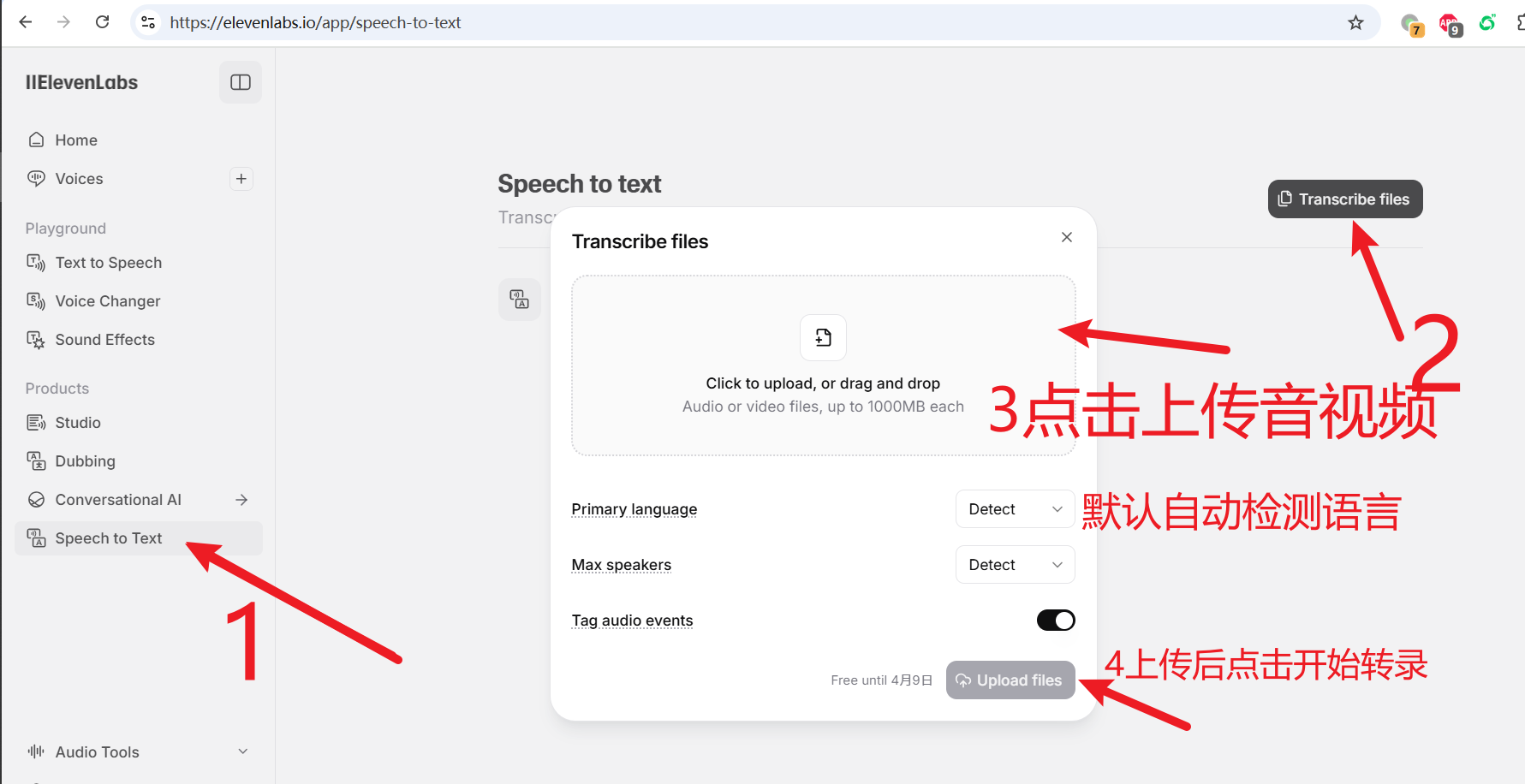
Upload an audio or video file and click "Transcribe" to start the transcription.
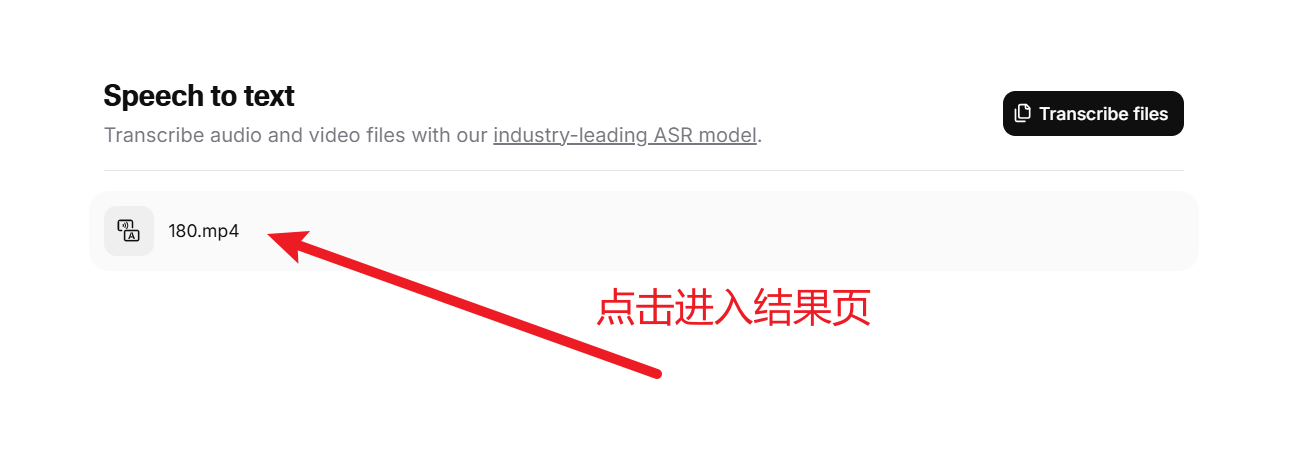
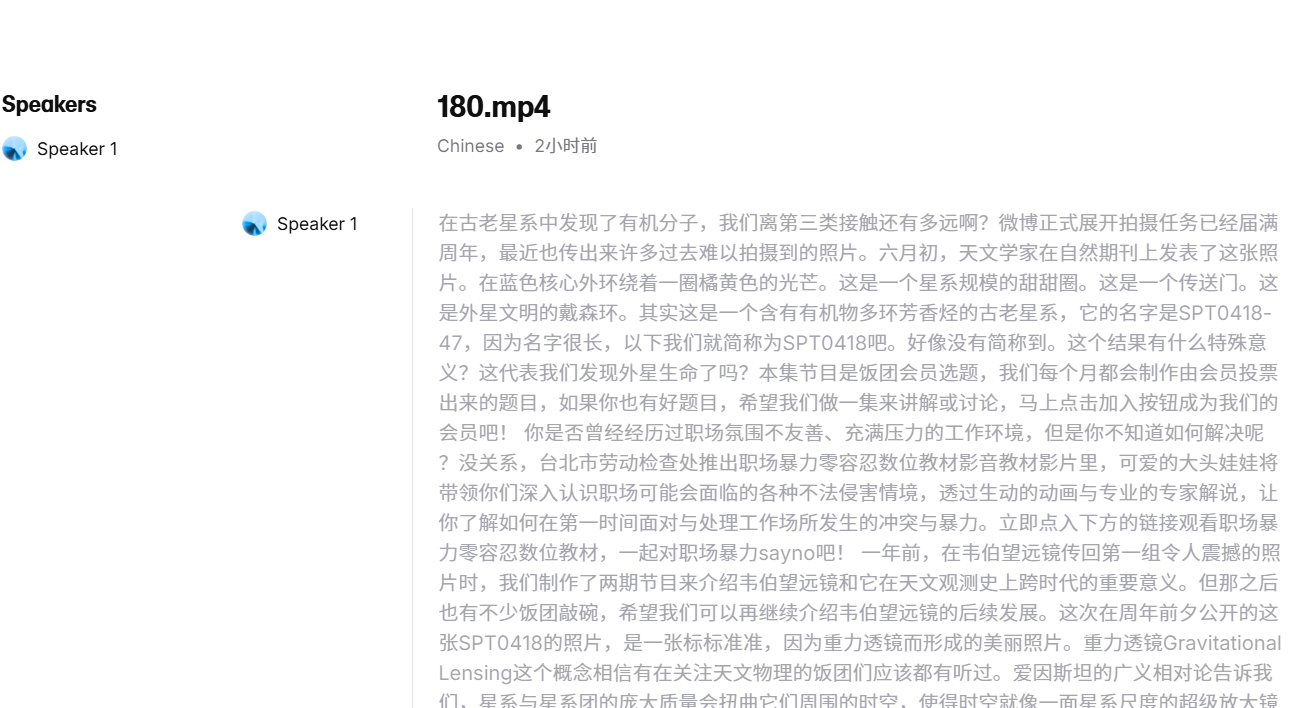
After the transcription is complete, click the displayed filename to enter the results page where you can view and download the subtitles.
Notes
- ElevenLabs provides free credits — no credit card needed to register and use.
- Supports 99 languages, including Chinese, English, Japanese, and many more.
- Speech recognition is based on advanced AI models with high accuracy, suitable for high-quality subtitle production.
- For any issues, refer to the ElevenLabs official documentation or pyVideoTrans help center.
With these steps, you can use ElevenLabs' speech recognition service in pyVideoTrans. ElevenLabs' models perform well across multiple languages, and the free credits make the experience very user-friendly.