As is well known, due to network restrictions, users in China cannot directly access the world's largest AI model library, https://huggingface.co. Many AI software applications (such as pyVideoTrans) need to download models from there online. To address this, the default solution is to use the domestic mirror site https://hf-mirror.com.
Here comes the bad news:
Recently, this mirror site has become increasingly unstable, often experiencing download failures, connection timeouts, and has even added rate limiting, frequently throwing 429 "Too Many Requests" errors.
These issues typically manifest in the following error messages:



Don't worry! Below, I'll guide you step-by-step through several simple and reliable methods to download models normally. Choose the one that suits you, and you can easily get it done.
Method 1: Download Directly from the Hugging Face Official Website (Recommended for Users with VPN)
This is the most direct and stable method, provided you can use a VPN ("scientific internet access") and your browser can normally open https://huggingface.co.
Steps:
Set up a proxy: In the software's "Network Proxy" text box, enter your proxy address and port (format:
proxy_address:port). Alternatively, set up a system-wide proxy to ensure your entire computer can access the internet.Create a lock file: In the same directory as
sp.exe, create a new empty file and name ithuggingface.lock. Important: The file extension must be.lock, not.txt! To avoid mistakes, please enable the "Show file extensions" option in File Explorer (top of the folder window -> View -> check "File name extensions"), as shown below.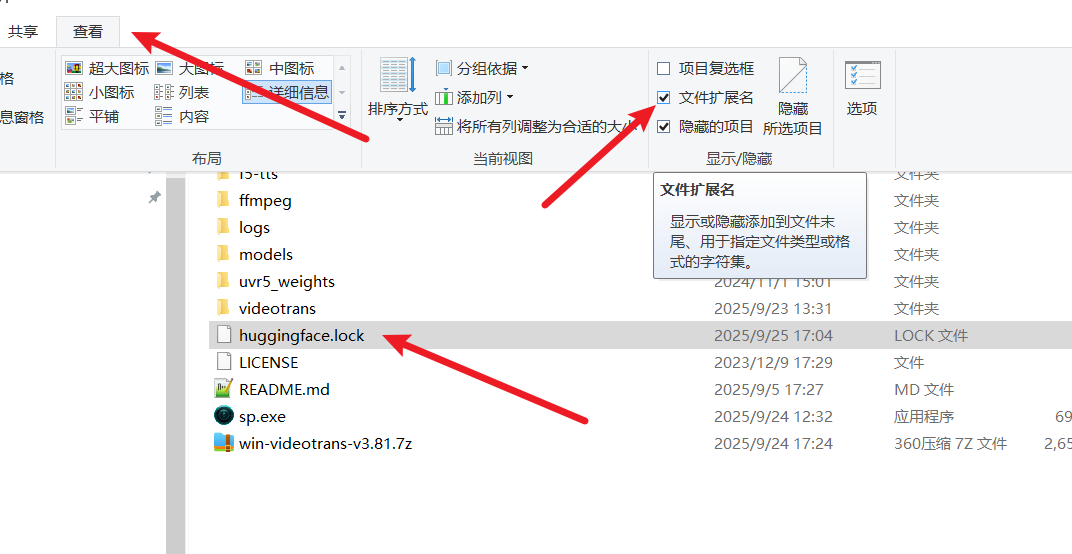
Tip: Don't know how to create a
.lockfile? No problem! Right-click to create a newhuggingface.txtfile, then rename it, changing.txtto.lock. Remember to enable the "File name extensions" option first, just like in the image above.
After this setup, the software will prioritize downloading models from the official website, offering high speed and success rates!
Method 2: Use Dedicated Download Tools (Super Simple, One-Click Solution)
To make downloading more convenient, I have specifically prepared two EXE tools: one downloads from the mirror site hf-mirror.com, and the other downloads from the official site huggingface.co. You can choose based on your network conditions.
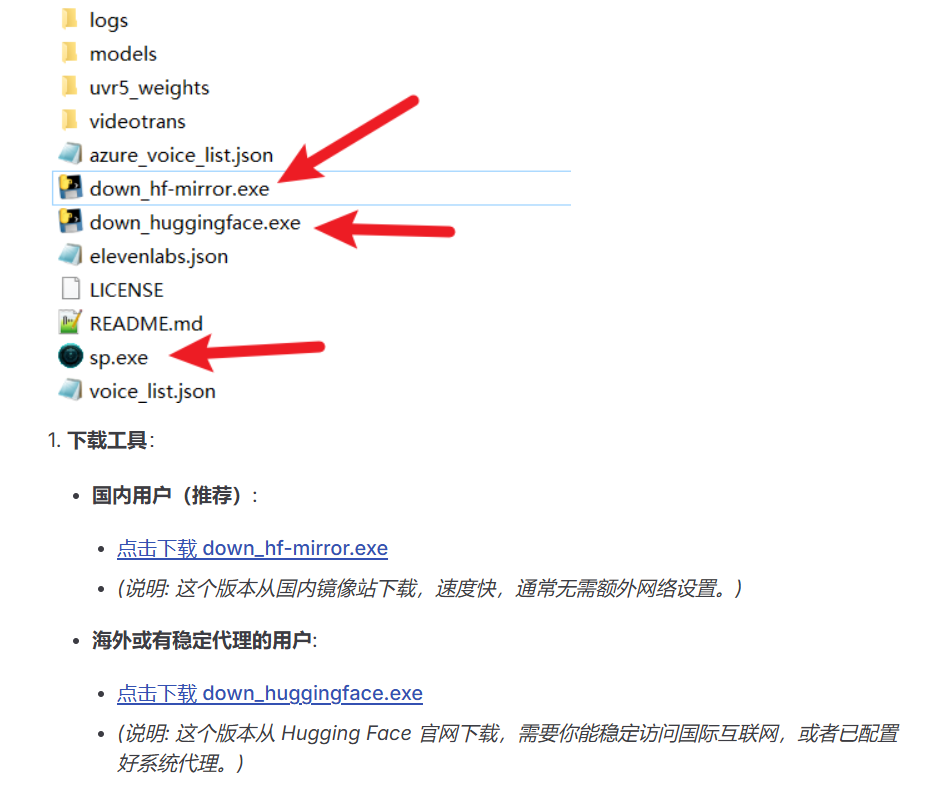
Steps:
Visit the download page:, download the file you need, and place it in the same directory as
sp.exe.Double-click to run the tool, and the model will automatically start downloading and be placed in the correct location.
Method 3: Manually Download Compressed Packages from GitHub
If the above methods don't work, you can manually download pre-packaged model archives from GitHub.
Steps:
Open in your browser: https://github.com/jianchang512/stt/releases/tag/0.0
Download the model file you need.
Extract the files to the software's
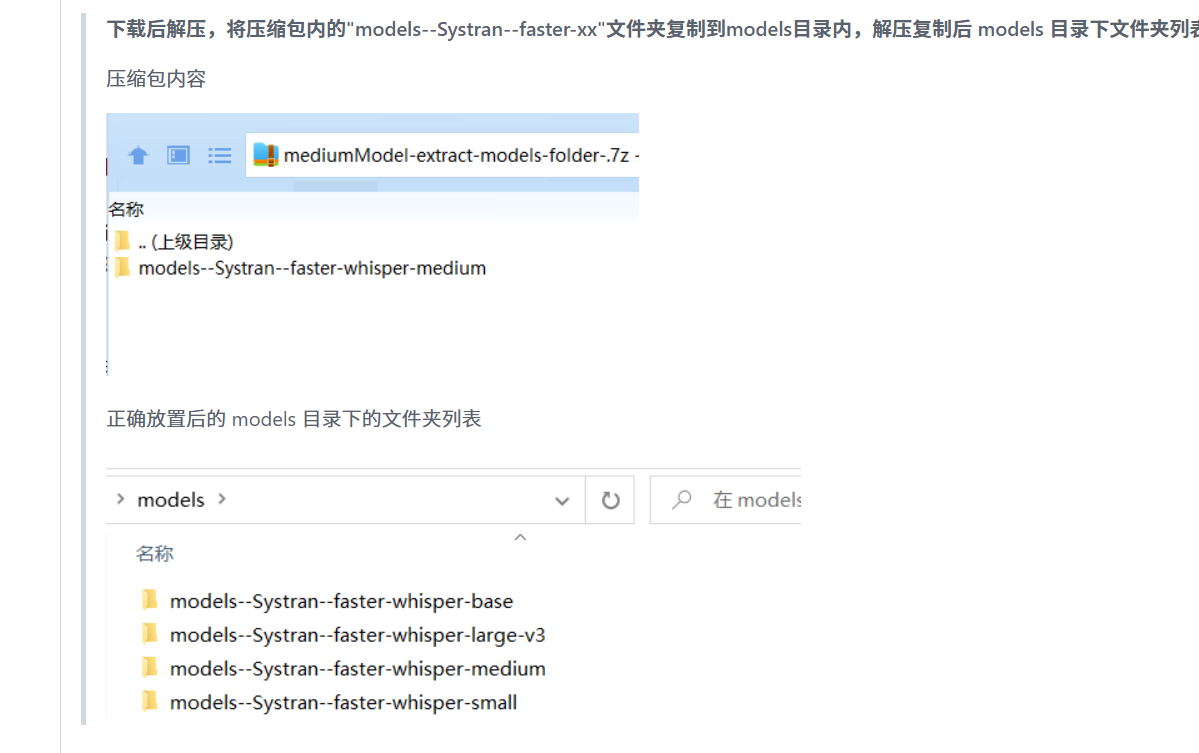
modelsfolder. Pay special attention: When extracting, check the directory structure to avoid getting the folder hierarchy wrong!