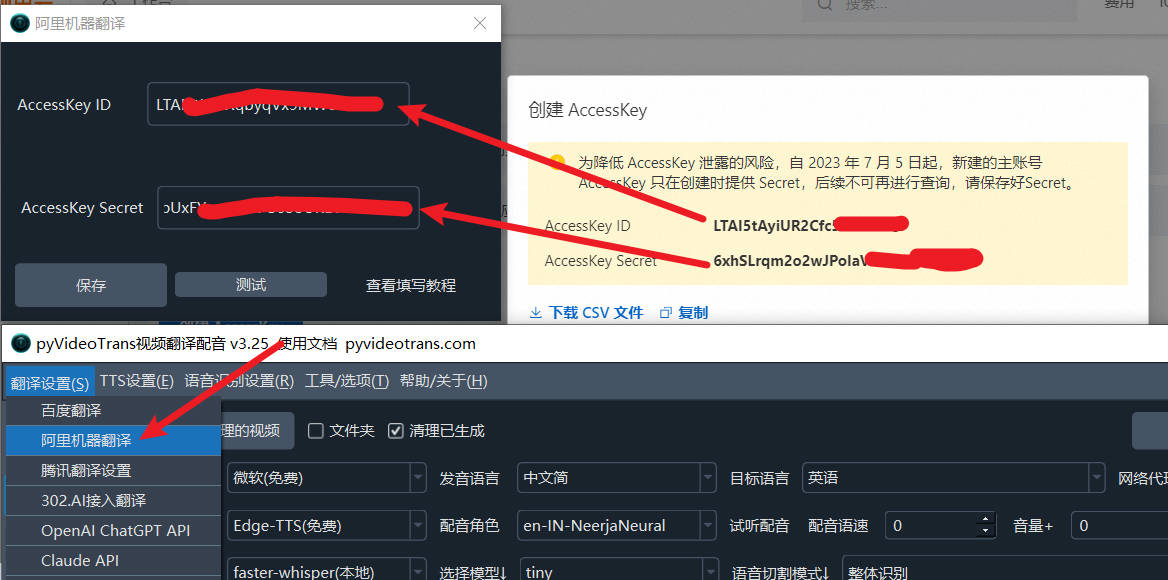
Get 1 million free translation characters upon activation.
1. Visit the Alibaba Cloud website and log in
2. Complete Real-Name Verification
After logging in, open the following URL to complete real-name verification.
https://myaccount.console.aliyun.com
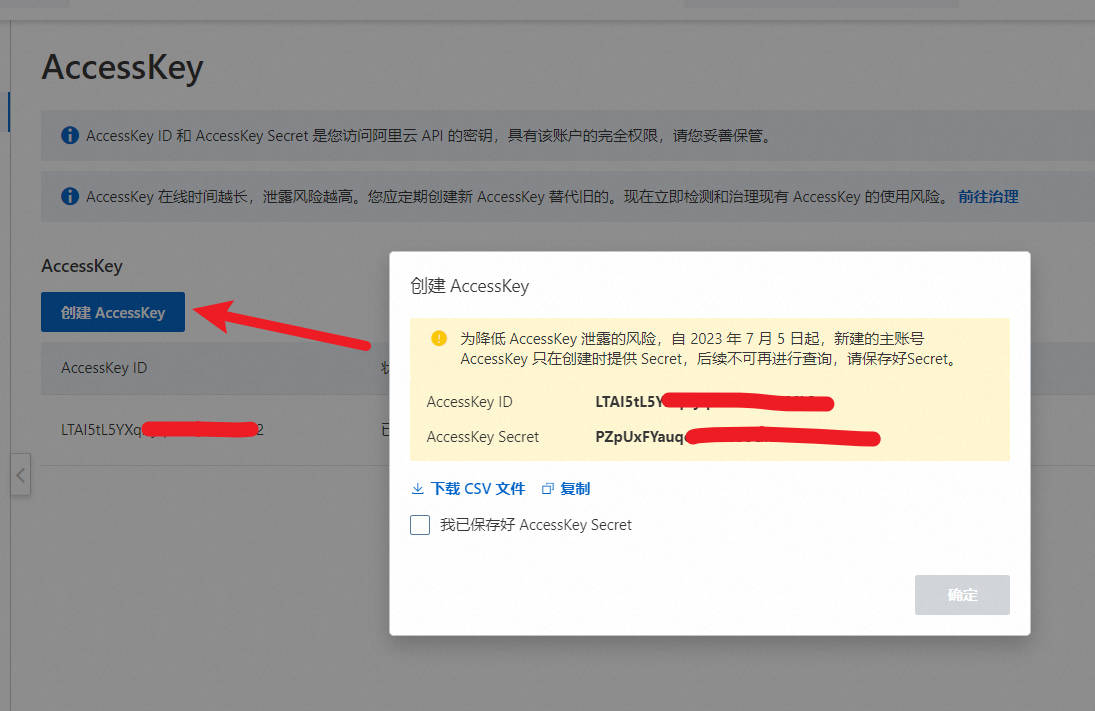
3. Create the API Key Pair required for use
After real-name verification, open the URL below to create an AccessKey pair. This information will need to be entered into the video translation software.
https://ram.console.aliyun.com/manage
4. Activate the Machine Translation Service
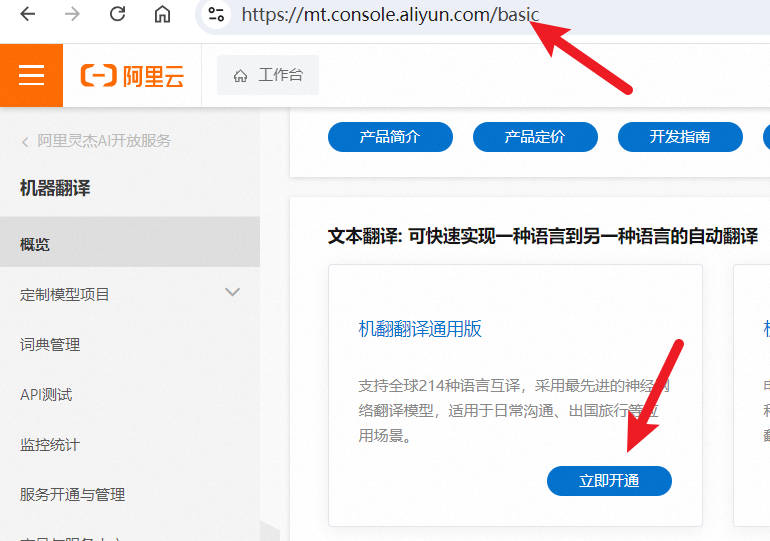
Open this URL:
https://mt.console.aliyun.com/basic
Activate the Machine Translation General Edition.
There is little difference between the General and Professional Editions. The Professional Edition is simply more specialized for translating e-commerce titles, financial titles, etc.
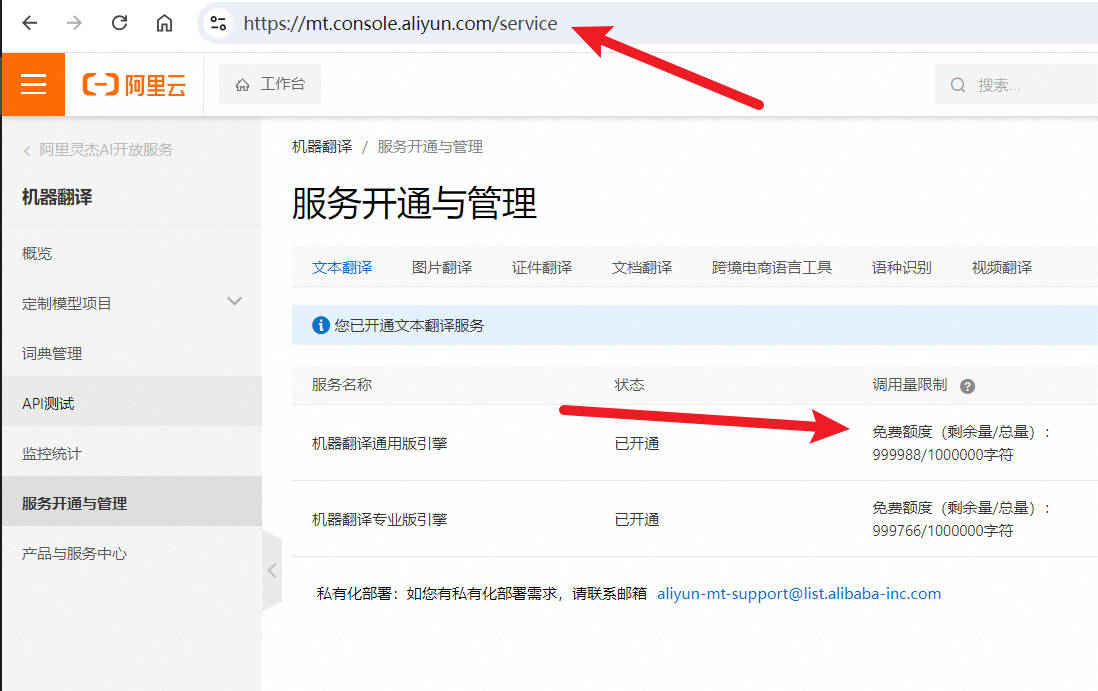
5. Check Your Quota
After activation, check your quota on this page. You will receive 1 million free translation characters upon activation.
https://mt.console.aliyun.com/service
6. Enter the Key Pair in the Video Translation Software
Open the Video Translation Software -> Menu Bar -> Translation Settings -> Alibaba Machine Translation.
Enter the AccessKey ID and AccessKey Secret.