AzureGPT Translation Channel:
This channel is also unavailable for registration and purchase within China. Assuming you already have a paid account, you can fill in the relevant information in the software menu -> Settings -> Azure Translation.
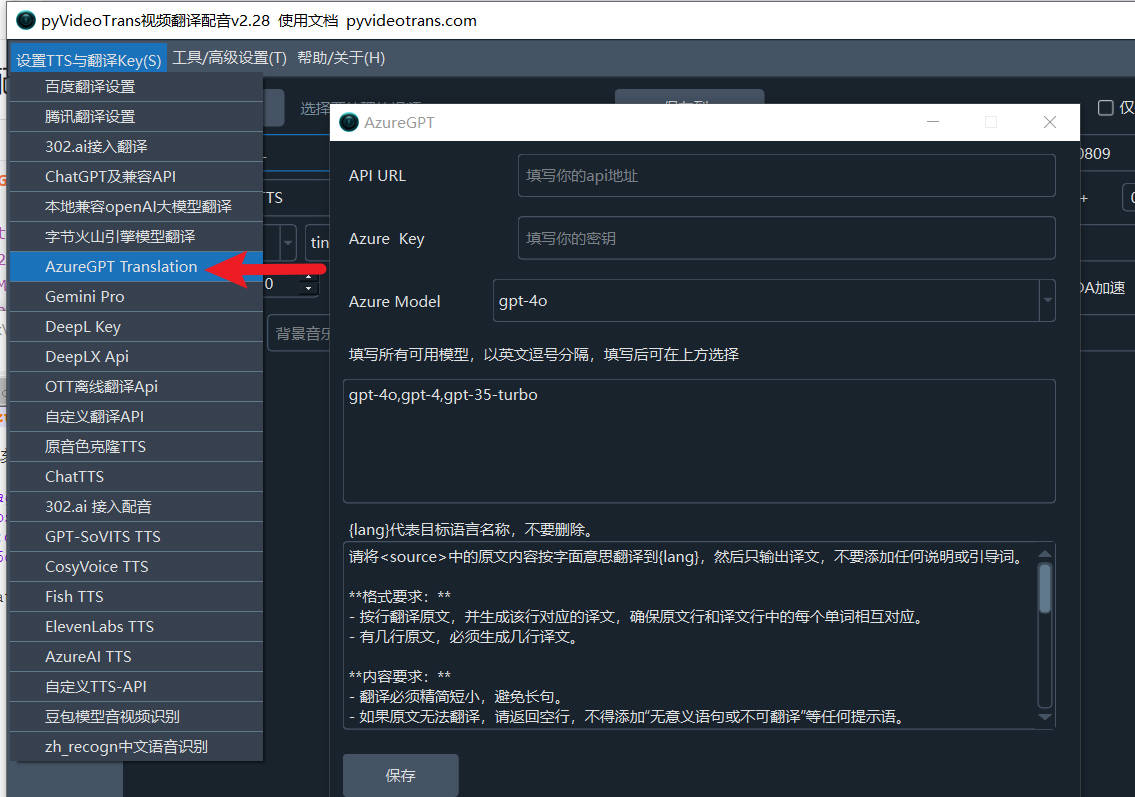
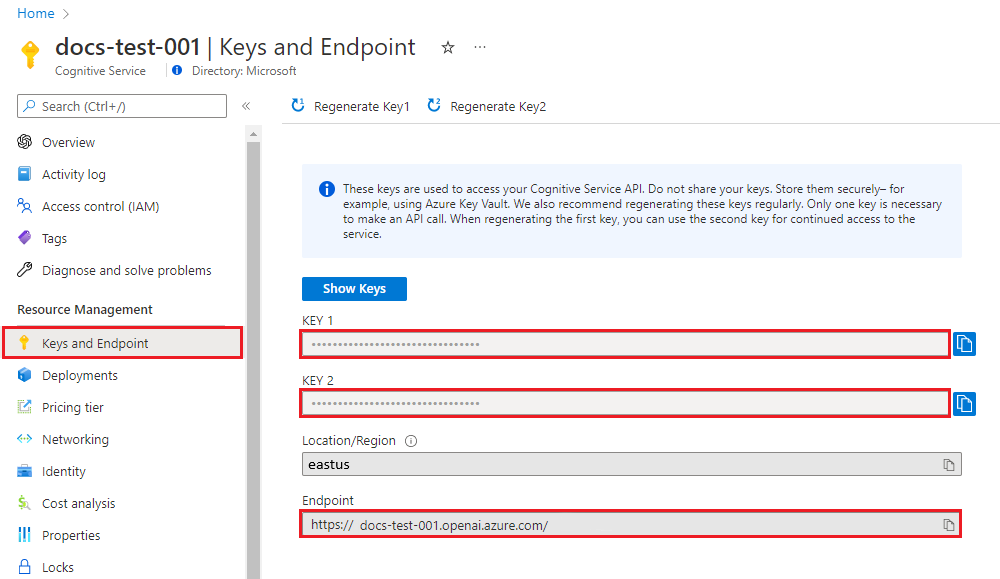
Unlike ChatGPT, you must fill in the API URL. This is the Endpoint you created in your Azure backend, as shown in the image below.
Important Notes:
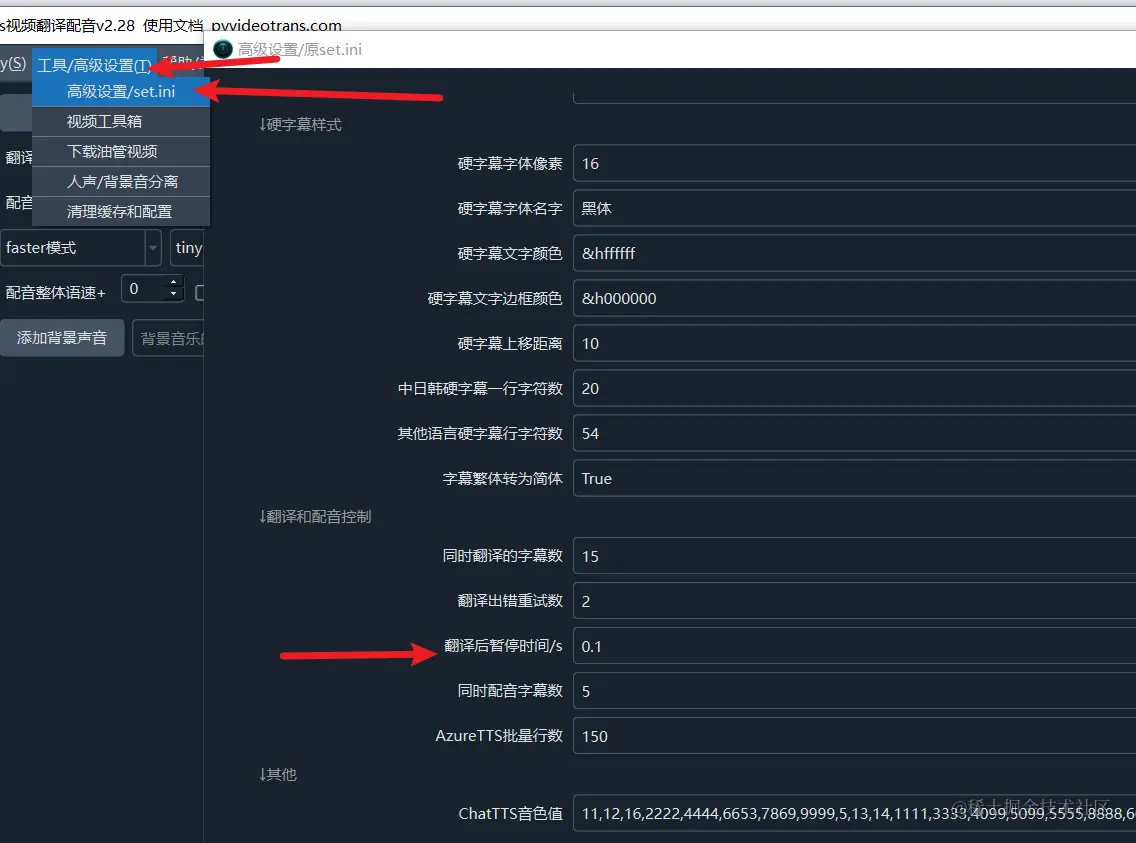
Most AI translation channels may impose limits on the number of requests per minute. If you encounter an error during use indicating that the request frequency has been exceeded, you can set a wait time in seconds via the software's Menu -> Tools/Options -> Advanced Options -> Pause Time After Translation. For example, setting it to 30 means the software will wait for 30 seconds after each translation before proceeding to the next one, helping to avoid errors due to exceeding the rate limit.