
Deepgram.com Speech Recognition API Guide
What is Deepgram Speech Recognition?
Deepgram is a cloud-based AI platform for speech recognition. Starting from pyVideoTrans v2.92, we integrated Deepgram's API, allowing you to leverage its powerful speech recognition capabilities to convert speech in videos into subtitles. Deepgram supports multiple languages including Chinese, and offers $200 in free credit upon registration.
Prerequisites
- A valid email address for registering a Deepgram account
- Stable internet connection
- pyVideoTrans software version v2.92 or higher
Registration and API Key Setup
Visit the Deepgram website: https://deepgram.com/ and click the register button to create an account.
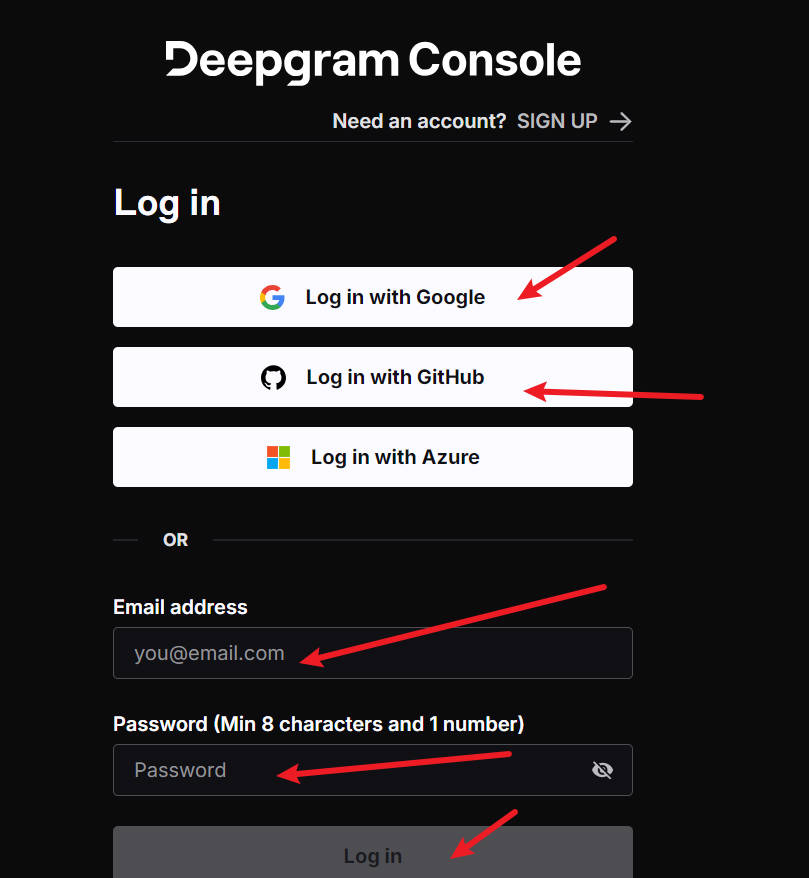
After registration, log in and access the console: https://console.deepgram.com/
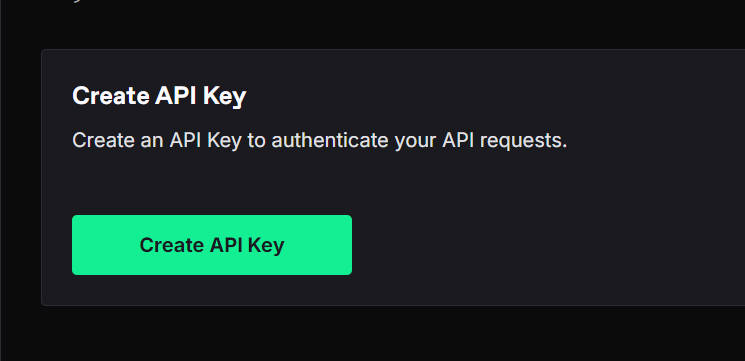
In the console, click the green "Create API Key" button.
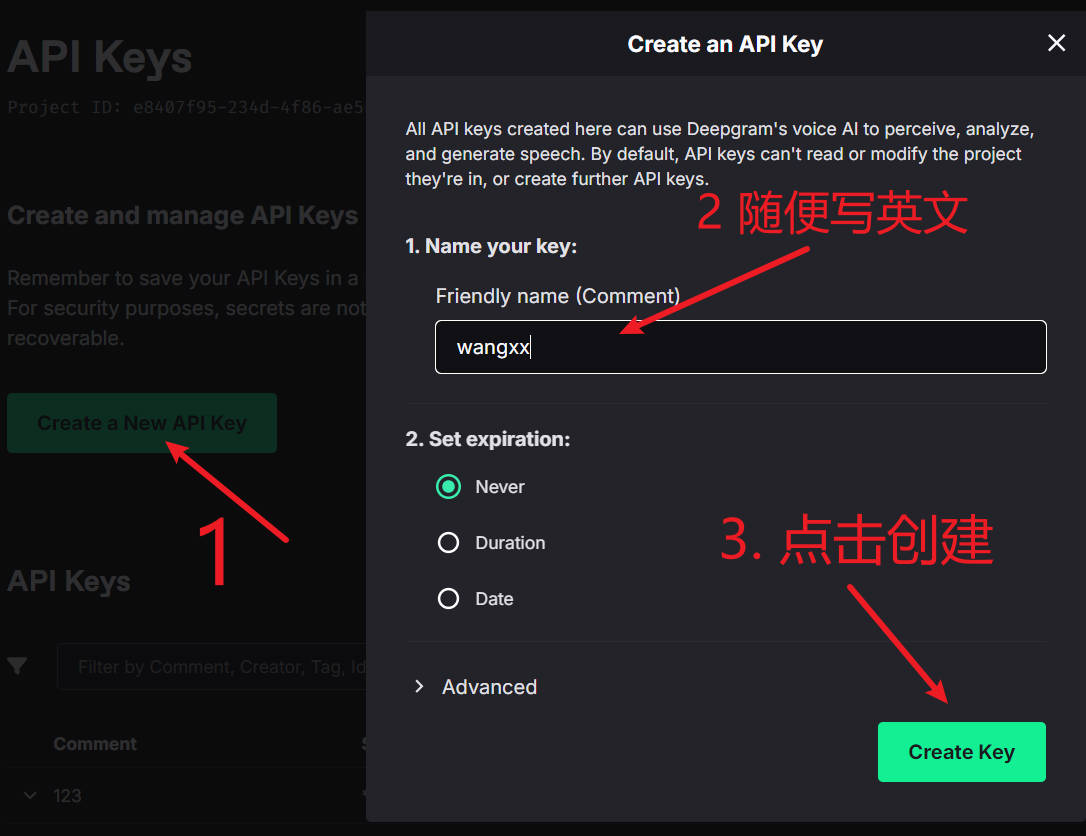
In the pop-up window, enter any name in the first text field (e.g., "pyVideoTrans"), then click the "Create API Key" button at the bottom.
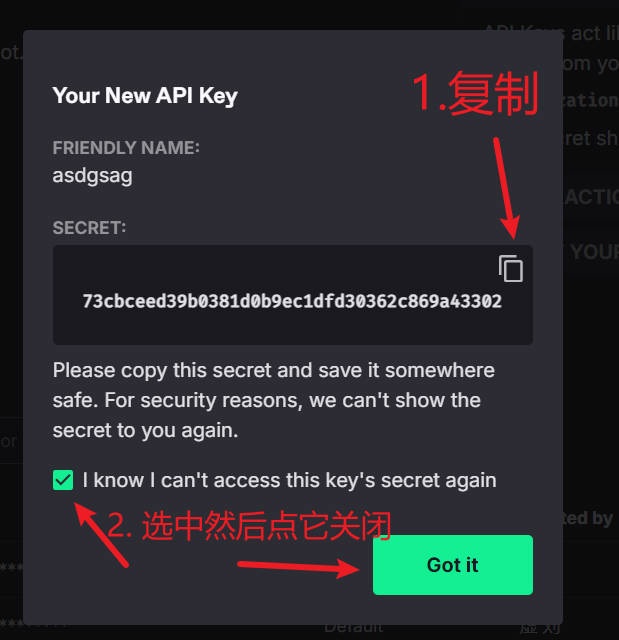
The generated API Key will be displayed on screen — make sure to copy and save it. This key will be used to configure Deepgram in pyVideoTrans.
Configuring Deepgram in pyVideoTrans
Open pyVideoTrans and navigate to the menu's "Speech Recognition Settings", then select "Deepgram".
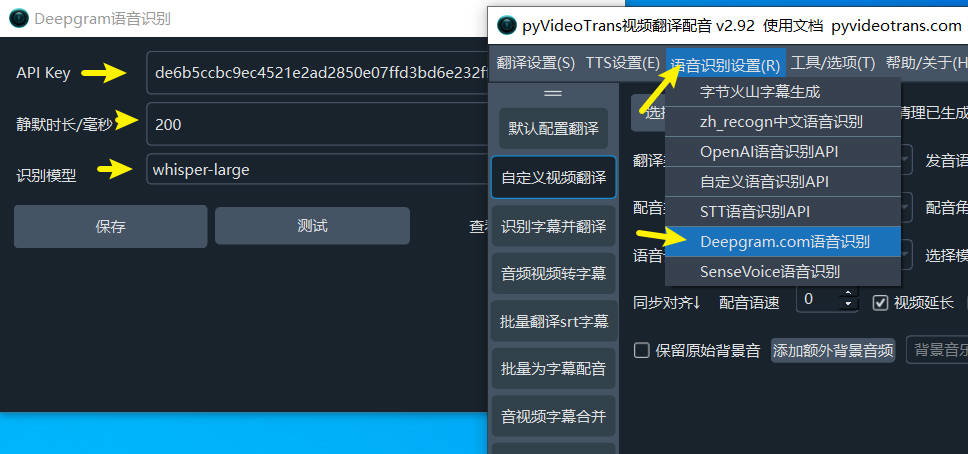
In the configuration window:
- API Key: Paste the Deepgram API Key you copied earlier.
- Silence duration: Default is 200ms. Adjust based on video speech speed:
- Fast speech: Lower to 150ms
- Slow speech or more silence: Raise to 500 or 800ms
Click Save to complete the configuration.
Supported Models and Options
Deepgram supports multiple speech recognition models:
- nova-3: Latest model, highest accuracy
- Whisper series: whisper-large, whisper-medium, whisper-small, whisper-base, whisper-tiny (based on OpenAI's Whisper model)
- nova-2: Previous-generation Nova model
- enhanced: Enhanced model
- base: Basic model
For Chinese recognition, nova-3 or whisper-large is recommended for the best results.
Advanced options include:
- smart_format: Smart formatting with automatic punctuation
- punctuate: Enable punctuation restoration
- paragraphs: Split by paragraphs
- utterances: Split by utterances
- diarize: Speaker diarization to distinguish different speakers
Optimal Configuration
For Chinese video recognition, the following configuration is recommended:
- Model: nova-3 or whisper-large
- Enable the "Chinese re-segmentation" option to optimize punctuation and sentence breaks
- Set silence duration based on video characteristics, typically 200–300ms
- Enable diarize if you need to distinguish speakers
Common Errors and Solutions
Error: Invalid API Key Verify the copied key is correct and contains no extra spaces or characters.
Error: Missing punctuation in recognition results This is a known limitation of Deepgram's Chinese support. Enable the "Chinese re-segmentation" feature in the software interface, which uses an Alibaba Chinese punctuation restoration model to reprocess subtitles.
Error: File too large to process Deepgram automatically re-encodes files over 50MB to MP3 format. If you encounter issues, try compressing the video file first.
Error: Network connection issue Ensure your network can access deepgram.com. Configure a proxy if necessary.
Notes
- Deepgram offers $200 in free credit upon registration, sufficient for processing a large volume of video content.
- For CJK languages (Chinese, Japanese, Korean), Deepgram automatically removes spaces.
- For Chinese recognition, Deepgram converts Traditional Chinese to Simplified Chinese.
- The software includes a built-in retry mechanism that automatically retries recognition during network fluctuations.
With these steps, you can use Deepgram's speech recognition service in pyVideoTrans. For further questions, refer to the Deepgram official documentation or the software help center.