
Google Translate Channel
What is it?
Google Translate is a completely free translation channel in pyVideoTrans. It requires no account registration, no API key, and has no usage limits. It works through Google Translate's mobile web interface, making it ideal for users on a budget or those who only translate occasionally.
Prerequisites
- No API key or account needed
Setup Steps
Step 1: Configure in pyVideoTrans
- Open pyVideoTrans
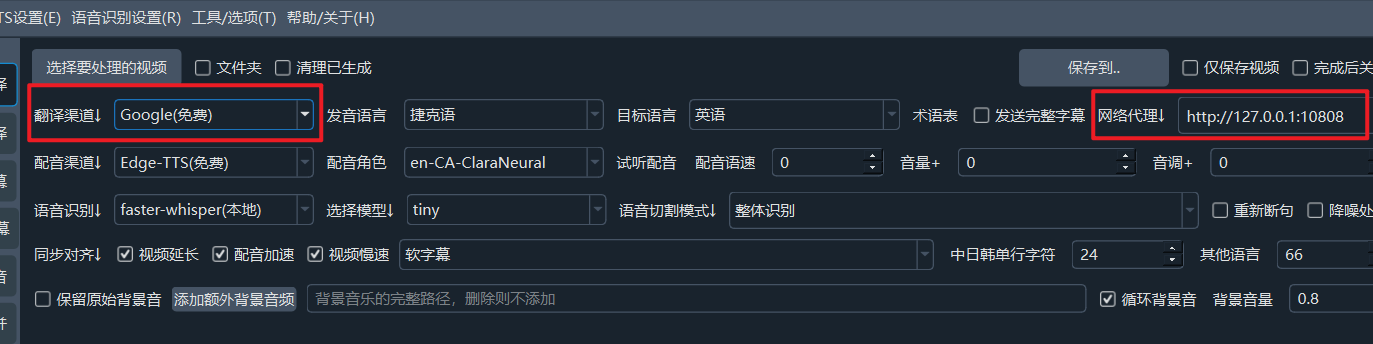
- Select Google from the Translation Channel dropdown on the main interface
- Click the menu bar → Translation Settings → Google Translate Settings
- Click the Test button to verify the connection
- Save the settings after a successful test
Adding Target Languages
In the batch subtitle translation feature, only common target languages are shown by default. To add other languages (such as Uyghur, Hebrew, etc.), follow these steps:
Note: Additional target languages can only be added when using the Google or FreeGoogle translation channels. Other channels do not support this feature.
Step 1: Go to menu → Tools/Options → Advanced Options
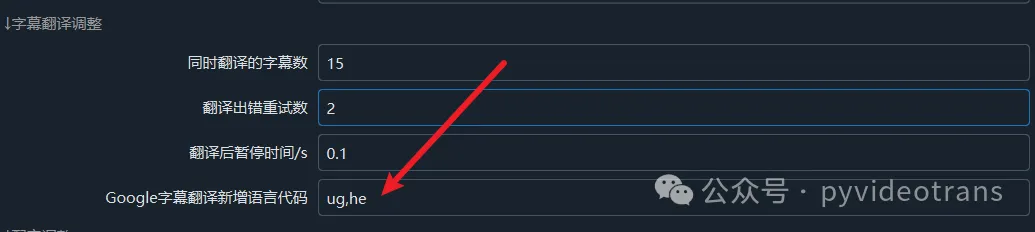
Step 2: Find the "Google Translate Additional Language Codes" text box
Step 3: Enter the language code for your target language. For multiple languages, separate them with commas. For example:
- To add Uyghur: enter
ug - To add Uyghur and Hebrew: enter
ug,he
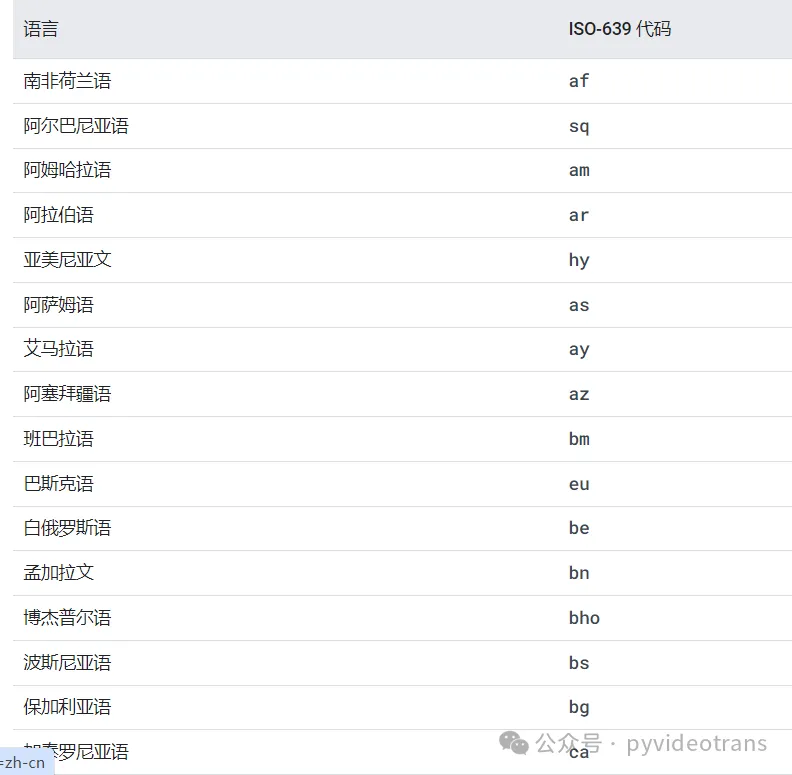
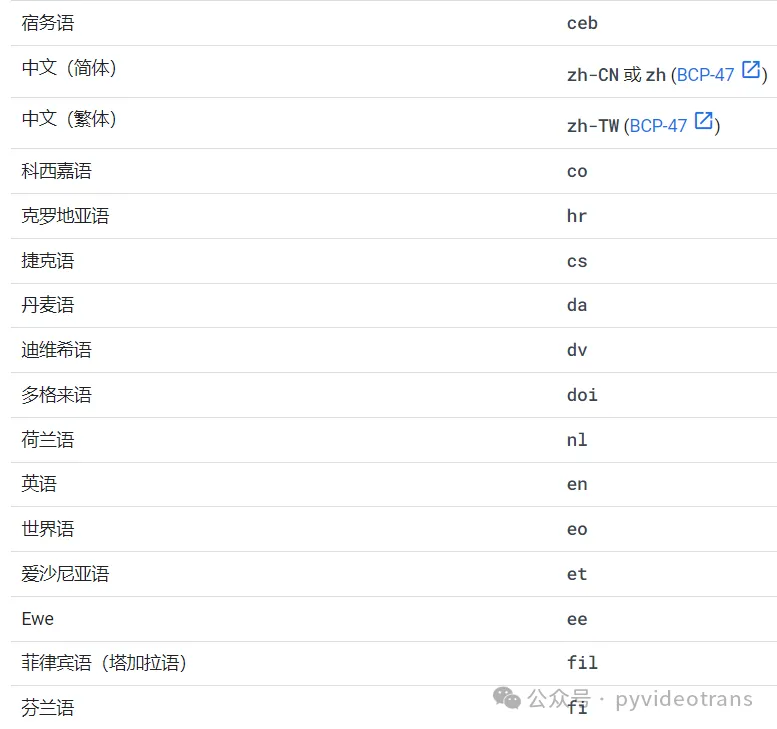
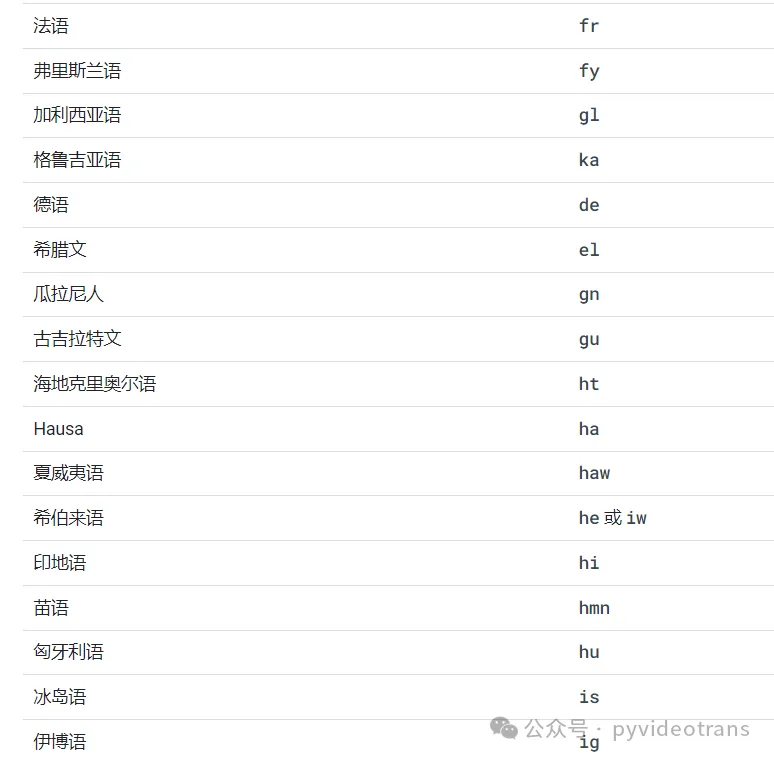
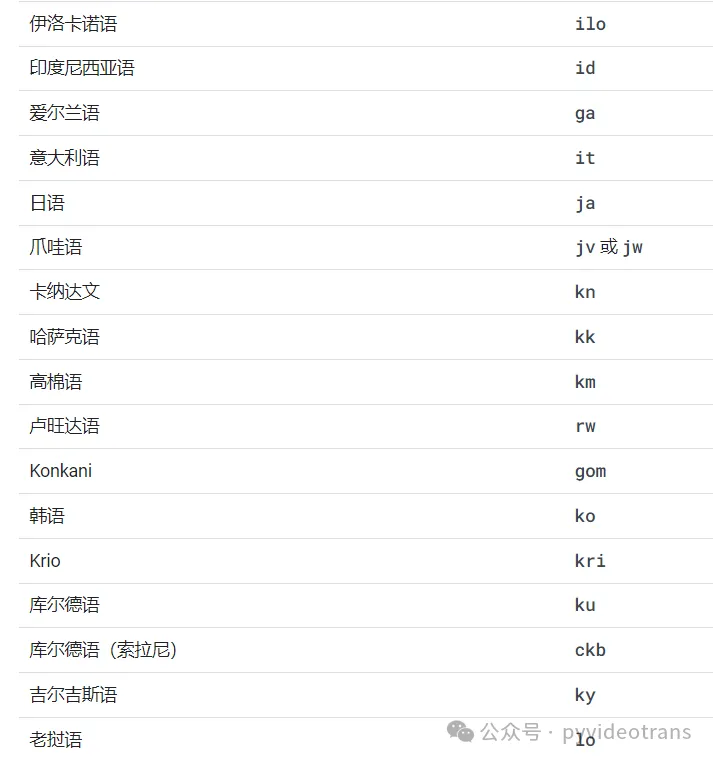
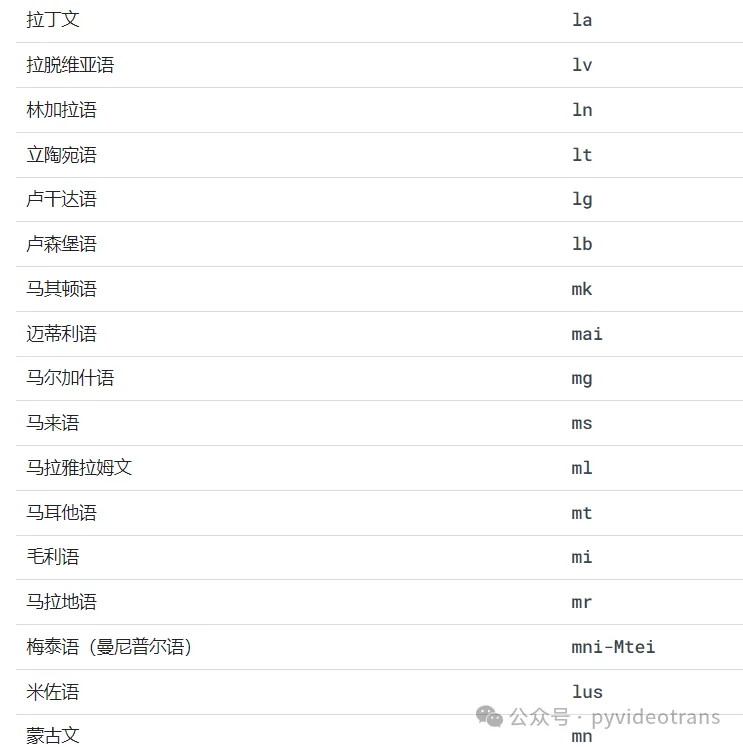
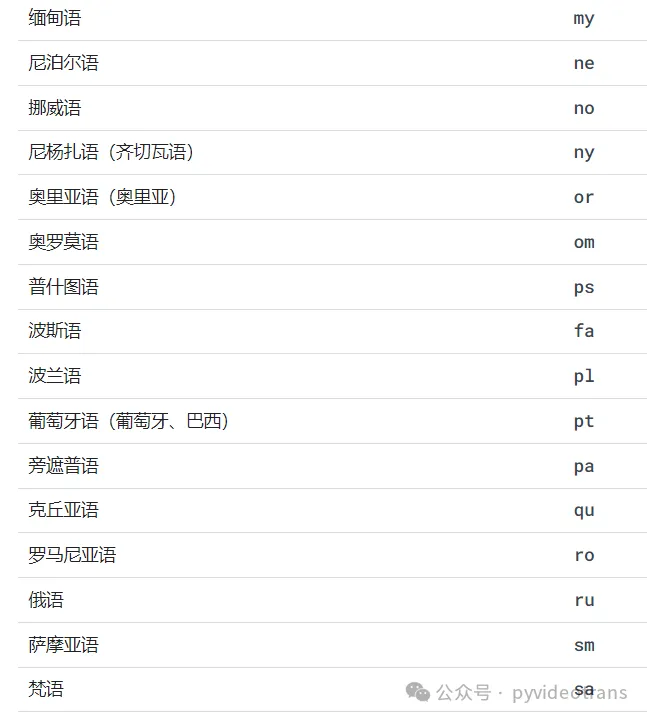
Where to find language codes?
Visit Google's official documentation for all supported language codes:
https://cloud.google.com/translate/docs/languages?hl=en
Recommended Configuration
| Setting | Recommended Value |
|---|---|
| Translation Channel | |
| Source Language | auto (auto-detect) |
Troubleshooting
| Issue | Cause | Solution |
|---|---|---|
| "Google Translate error" | Network connectivity issue | Check your network connection and try again |
| Connection timeout | Network unavailable | Verify your network is reachable |
| Garbled translation output | Unstable connection | Try again in a moment |