
DeepLX Local Deployment Translation Channel
What is it?
DeepLX is an open-source project that simulates DeepL client behavior to call DeepL's translation interface without requiring an official DeepL API key. However, please note that DeepLX is essentially an unofficial workaround and may become unstable. If you encounter errors, confirm your deployment is correct and then consider switching to another translation channel.
Prerequisites
- DeepLX executable downloaded (from GitHub Releases)
Deployment Steps
Step 1: Download DeepLX
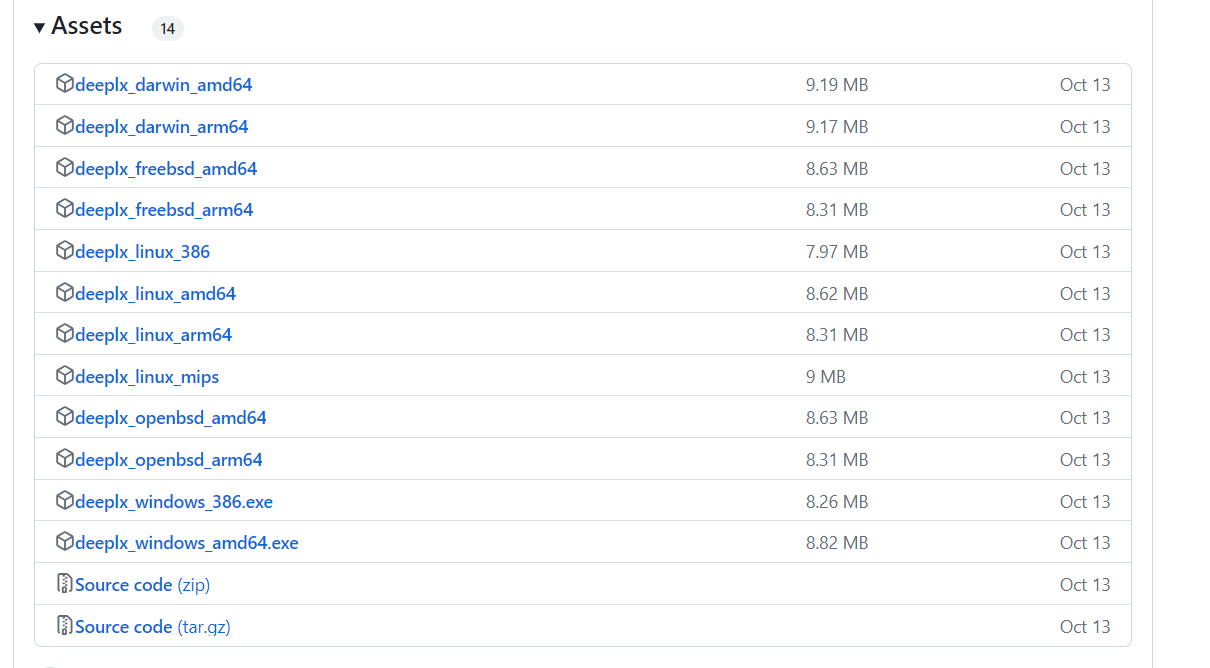
Go to https://github.com/OwO-Network/DeepLX/releases and download the version for your operating system:
| Operating System | File Name |
|---|---|
| Windows 64-bit | deeplx_windows_amd64.exe |
| macOS (Intel) | deeplx_darwin_amd64 |
| macOS (Apple Silicon) | deeplx_darwin_arm64 |
| Linux | deeplx_linux_amd64 |
Step 2: Run DeepLX
On Windows, double-click deeplx_windows_amd64.exe to launch it. The following interface indicates a successful deployment:

The number 1188 is the local listening port.
Step 3: Configure in pyVideoTrans
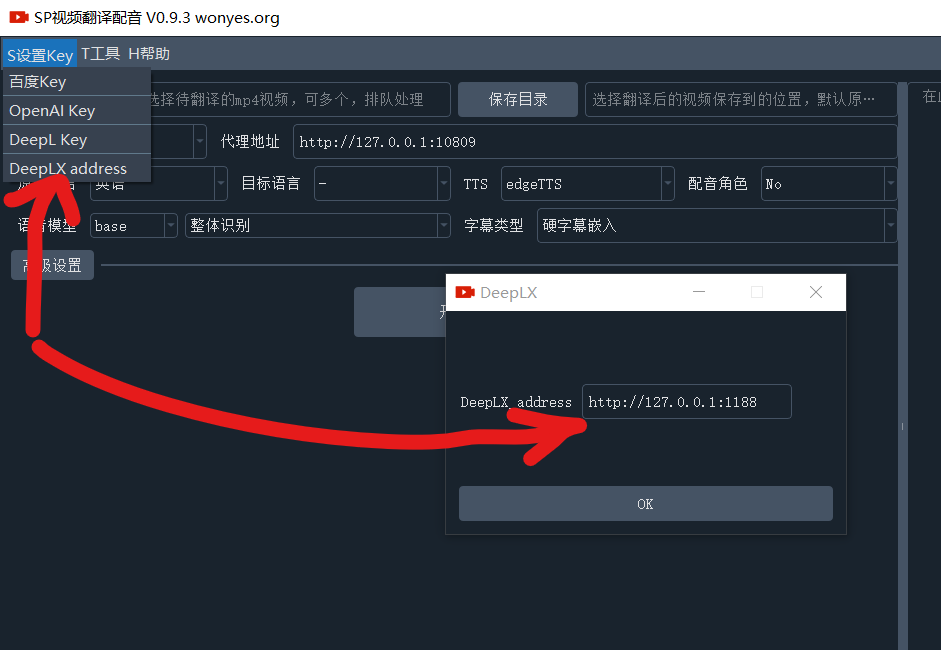
- Open the menu bar → Translation Settings → DeepLX Settings
- Enter
http://127.0.0.1:1188in the API URL field (i.e.,http://127.0.0.1:port-number) - Click the Test button to verify the connection
- Save after a successful test
Recommended Configuration
| Setting | Recommended Value |
|---|---|
| API URL | http://127.0.0.1:1188 (default port) |
| API Key | Leave empty (DeepLX typically does not require a key) |
Important Notes
- Unstable: DeepLX relies on an unofficial DeepL interface that may stop working at any time. It is not recommended as a primary translation channel.
- Must stay running: The DeepLX program must remain running — translations won't work after it's closed.
- Port conflicts: If the default port
1188is already in use, the program will automatically use a different port. Check the actual port number displayed in the running interface.
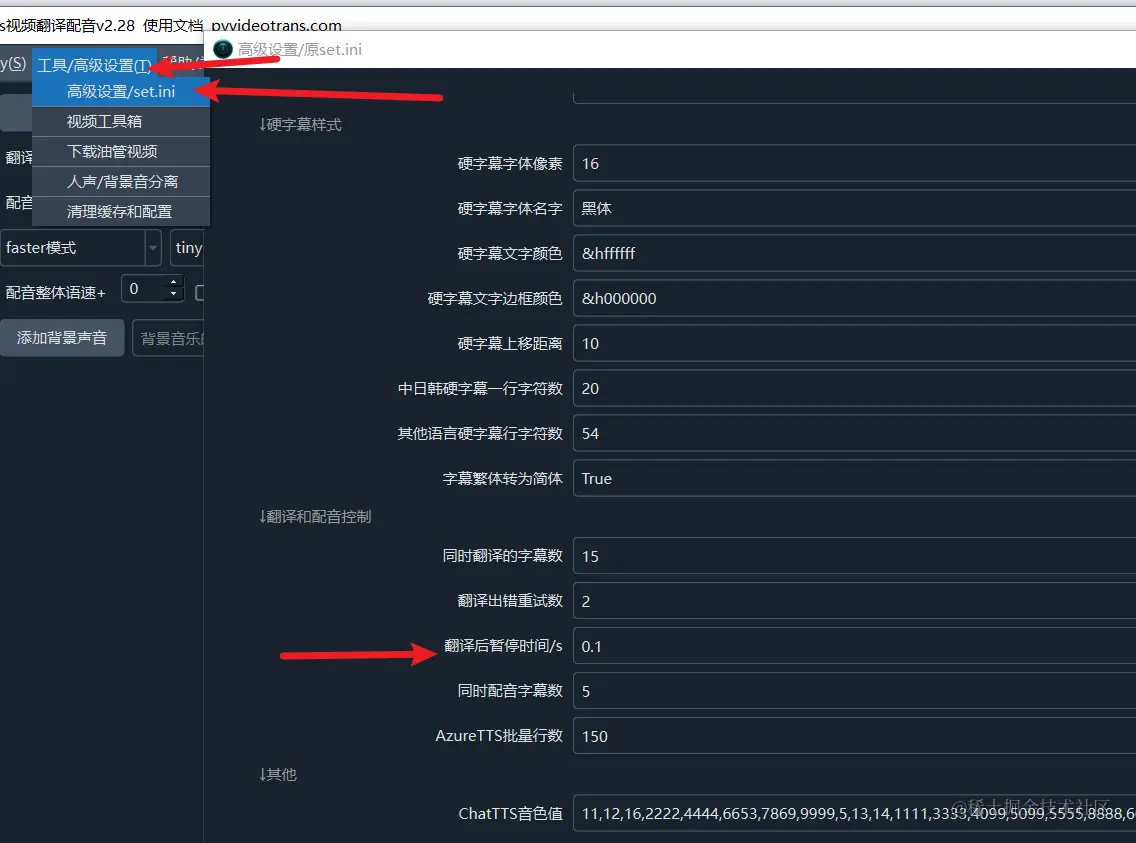
Most AI translation channels may limit requests per minute. If you encounter rate limit errors, go to Menu → Tools/Options → Advanced Options → Post-translation pause time and set a delay in seconds (e.g., 30) to avoid exceeding the limit.
Troubleshooting
| Issue | Cause | Solution |
|---|---|---|
| Connection refused | DeepLX not running | Make sure the DeepLX program is running |
| Translation error | DeepLX interface has stopped working | Try updating DeepLX to the latest version, or switch to another channel |
| Wrong port number | DeepLX using a non-default port | Check the actual port displayed in the DeepLX interface |
| Empty translation result | DeepLX service issue | Restart the DeepLX program |