
Package Download Link 1: Download from Baidu Netdisk
Package Download Link 2: Download from HuggingFace.co
Index-TTS Windows One-Click Package
If you want to experience the powerful AI voice synthesis technology Index-TTS open-sourced by Bilibili, but are troubled by the complex and often error-prone installation process, then this one-click package is tailor-made for you.
With it, you can easily run Index-TTS on Windows 10 or Windows 11 systems without worrying about any technical details, especially the notoriously difficult installation of the pynini library on Windows, which can be a major deterrent.
❓ What is Index-TTS?
Index-TTS is a very advanced text-to-speech (TTS) model open-sourced by the Bilibili team, heavily optimized for the Chinese language environment. Its goal is to generate natural, expressive speech that rivals human voices.
Its core advantages are very prominent:
- Super Accurate Pronunciation: It can precisely control the pronunciation of Chinese polyphonic characters. You can directly specify the pronunciation of the character "行" in "银行 (yín háng)" using pinyin, greatly reducing the awkward probability of AI mispronunciation.
- Extremely Natural Pauses: It intelligently understands punctuation marks and produces pauses of different lengths accordingly, making the reading of long passages sound rhythmic, just like a real person speaking.
- Voice Cloning (Zero-Shot TTS): You only need to provide a short, clear sample of the target audio (such as your own voice), and it can "clone" this timbre, then use it to read any text you input.
- Excellent Performance: In multiple technical evaluations, the quality and naturalness of speech synthesized by Index-TTS are at the industry's leading level, even surpassing many well-known similar models.
However, behind such powerful functionality lies a complex installation and deployment process. The official installation method requires users to master the command line, manually configure the Python environment, and resolve conflicts between various dependency libraries, especially the extremely difficult compilation and installation of the pynini library on Windows.
The value of this one-click package is to clear all these technical obstacles for you!
🚀 Download and Use This Package
You only need to follow these three simple steps to run Index-TTS on your own computer.
Step 1: Download the Package
First, you need to download the compressed file named index-tts-win-20250718.7z. We provide two download links; you can choose the faster one:
- Download Link 1: Download from Baidu Netdisk
- Download Link 2: Download from HuggingFace.co
Special Note: .7z is an efficient compression format. If your computer cannot open it directly, or if other decompression software prompts an error, please install 360 Compression Software and try again.
Step 2: Extract the Files
After downloading, locate this compressed file on your computer. Right-click on it and select "Extract Here" or "Extract to index-tts-win-20250718". After extraction, you will get a new folder.
Step 3: Double-Click to Launch!
Open the newly extracted folder, and you will see a file named 双击启动.bat (Double-Click to Start.bat). Simply double-click it with your mouse.
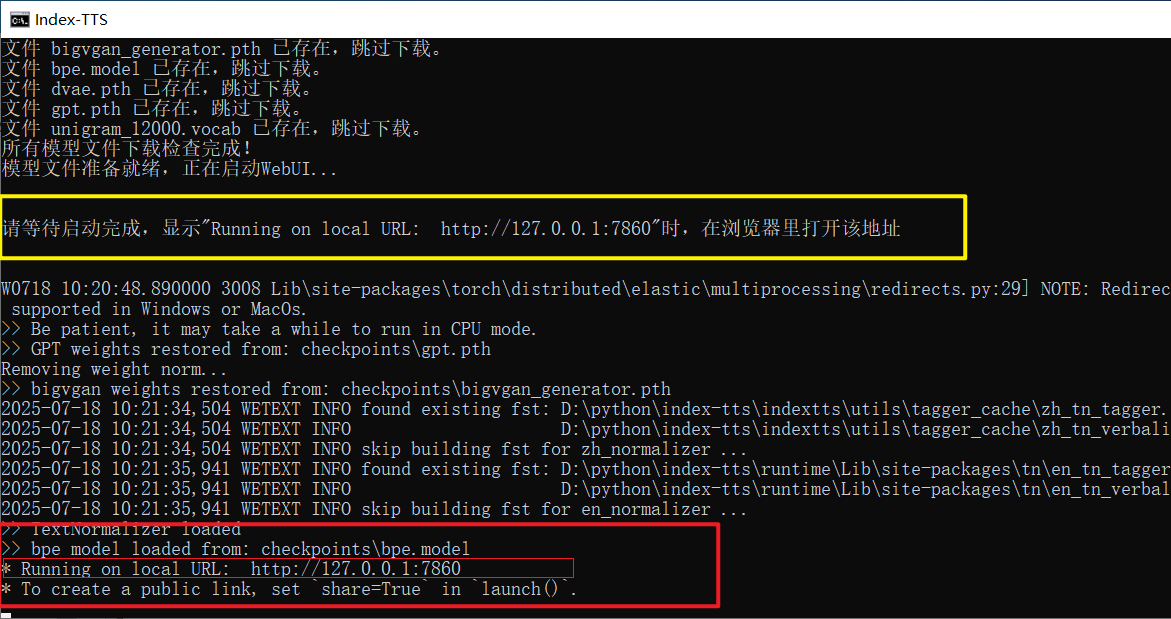
What happens after double-clicking?
When you run 双击启动.bat, a black window (the "Command Prompt") will pop up. Please do not close it; the program is working automatically in the background:
Automatically Check and Download Models: The first thing the script does is check whether the required model files (several gigabytes in size) are complete. If it finds files are missing, it will automatically start downloading them from the server. You will see a "Downloading..." progress prompt in the window. This process takes some time, depending on your network speed, so please be patient.
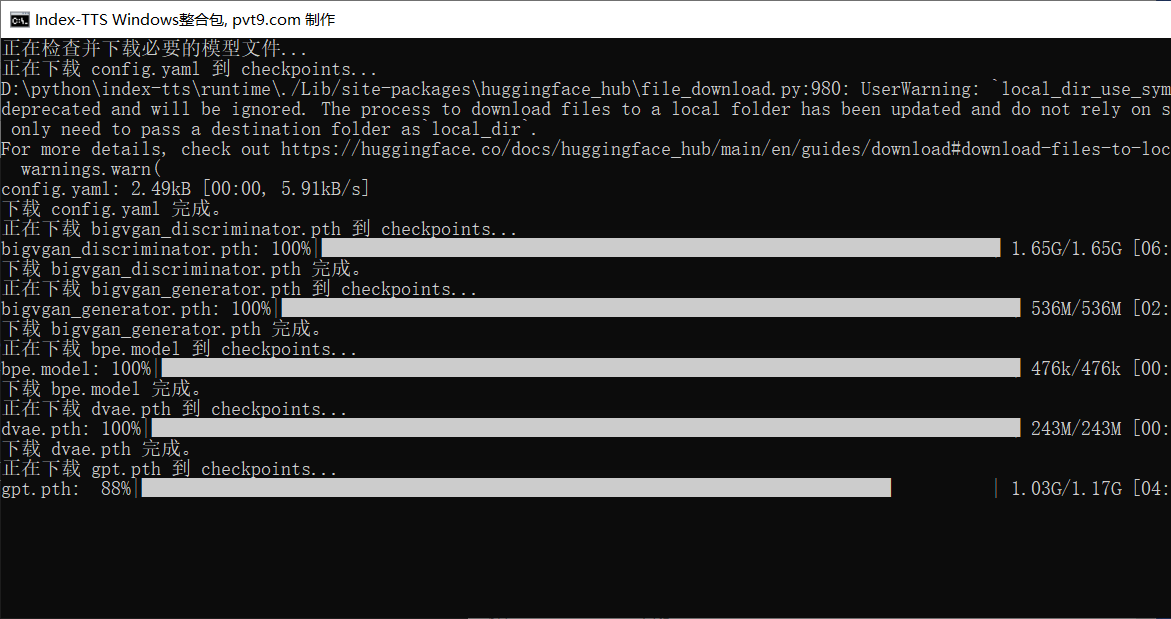
Launch Core Service: Once all model files are ready, the script will automatically launch the core WebUI service for Index-TTS. This is the operational interface you will use for voice synthesis later.
Wait for the Success Message: Continue to wait patiently until you see the following key information in the black window:
Running on local URL: http://127.0.0.1:7860
When you see this address, it means Index-TTS has successfully started running on your computer!
💻 Begin Your AI Voice Creation Journey
Please keep that black window open, then open your usual web browser and enter the following into the address bar:
http://127.0.0.1:7860
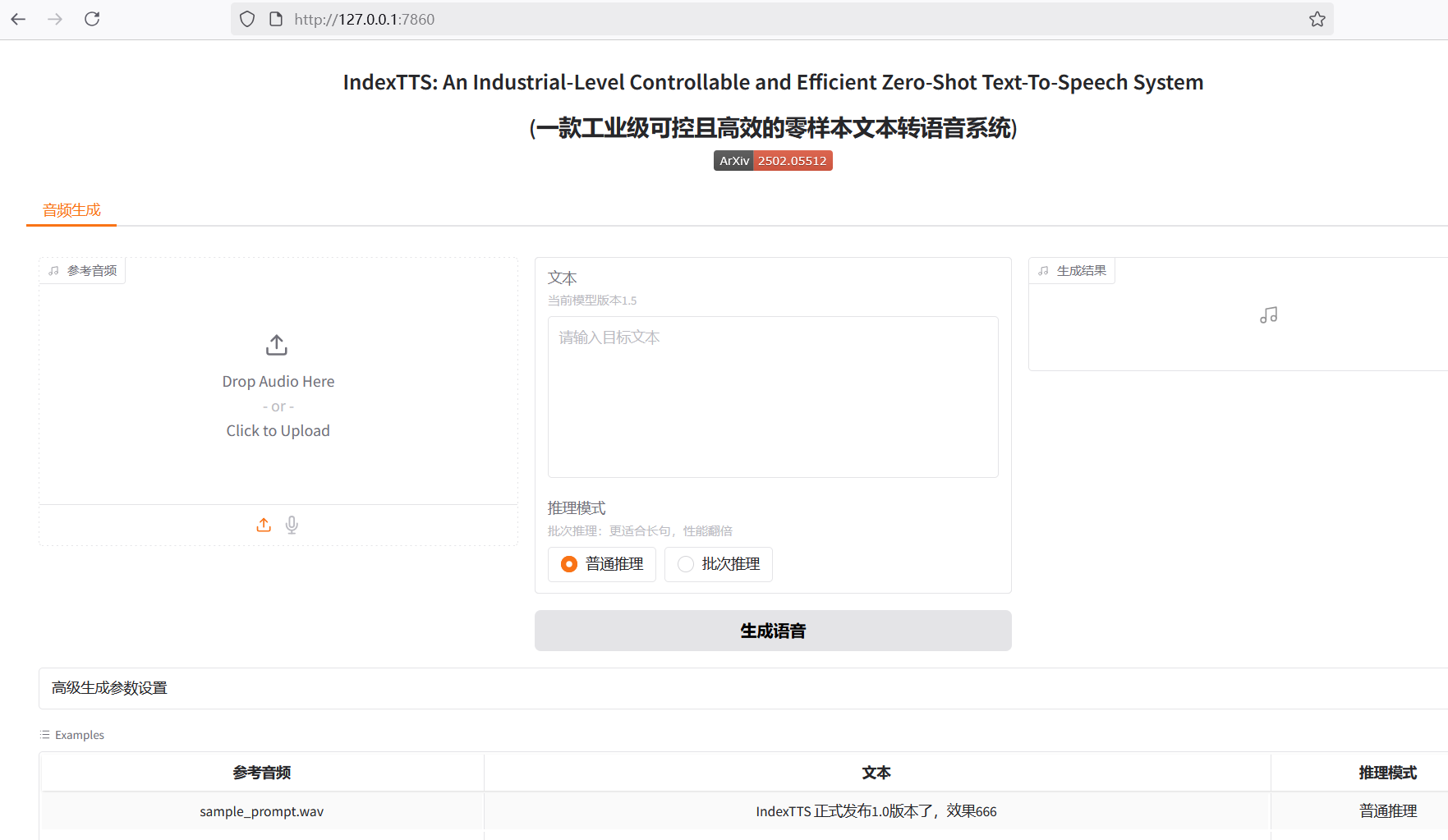
Press Enter, and you will see the simple yet powerful web-based operational interface (WebUI) for Index-TTS. Now, you can start exploring freely, inputting text, uploading your favorite voice samples, and generating unique AI voices!
How to close the program? It's very simple. When you don't want to use it anymore, just close the black Command Prompt window that has been open.