
SiliconFlow AI Translation Channel
What is it?
SiliconFlow (硅基流动, literally "Silicon Flow") is a popular AI inference service platform that provides API access to a variety of open-source large language models, including DeepSeek, Qwen, Llama, and more. Since version 3.74, pyVideoTrans has integrated SiliconFlow as a dedicated translation channel. It offers fast access and free tiers for many models.
Prerequisites
- pyVideoTrans v3.74 or higher
- A SiliconFlow platform account (to obtain an API key)
How to Get an API Key
Step 1: Sign up and log in to SiliconFlow
Go to https://cloud.siliconflow.cn and register with your phone number or email.
Step 2: Create an API Key
- After logging in, visit https://cloud.siliconflow.cn/account/ak
- Click "Create API Key"
- Give the key a name
- Copy the generated API key and save it
Step 3: Claim free credits
SiliconFlow provides free credits for new users. Some models (such as Qwen-7B) can be used for free. Check your balance on the platform homepage.
Configuring in pyVideoTrans
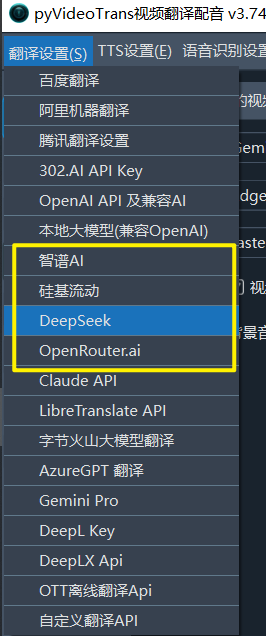
- Open the menu bar → Translation Settings → SiliconFlow Settings
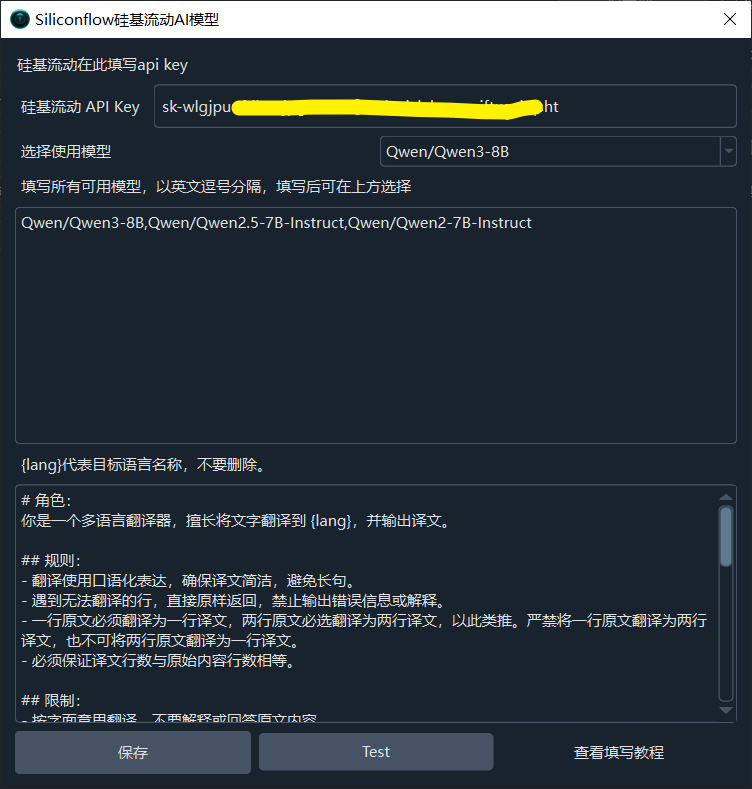
- Enter the API key from SiliconFlow in the API KEY field
- Select a model from the dropdown, for example:
Qwen/Qwen2.5-7B-Instruct(free, suitable for everyday translations)deepseek-ai/DeepSeek-V3(high-quality translations)- You can also manually enter other models supported by SiliconFlow
- Click the Test button to verify the connection
- Save after a successful test
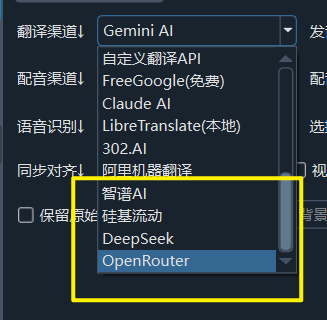
Recommended Configuration
| Setting | Recommended Value |
|---|---|
| API URL | https://api.siliconflow.cn/v1 (default, no changes needed) |
| API Key | Obtained from SiliconFlow platform |
| Model | Qwen/Qwen2.5-7B-Instruct (free) or deepseek-ai/DeepSeek-V3 (high quality) |
| Max Output Tokens | 8192 (default) |
Popular Model Recommendations
| Model | Price | Features |
|---|---|---|
Qwen/Qwen2.5-7B-Instruct | Free | Great for everyday translations |
deepseek-ai/DeepSeek-V3 | Paid | High translation quality |
meta-llama/Meta-Llama-3.1-8B-Instruct | Free | Excellent English translations |
Browse all available models and pricing at https://cloud.siliconflow.cn/models.
Troubleshooting
| Issue | Cause | Solution |
|---|---|---|
| "Authentication Error" | API key incorrect | Log in to SiliconFlow and generate a new key |
| Connection timeout | Network issue | Check your network connection |
| Model returns error | Incorrect model name format | Ensure the model name follows the provider/model-name format |
| Rate limit errors | Free models have rate limits | Increase the post-translation pause time, or upgrade to a paid model |
| Excessive blank lines in output | Model capability insufficient | Try a larger model (e.g., 14B or 32B version) |