While using pyVideoTrans, you may encounter some errors and exceptions. These issues are particularly common when dealing with services that require connecting to foreign servers (like Google, Gemini, OpenAI) and downloading models, due to the complexity of network environments.
Don't worry. Although, as an open-source and free software, we cannot provide human customer support, with the help of powerful AI, most common problems can be solved easily.
When you encounter a problem, you can seek help by following these steps:
Method 1: Automatically Report Errors via the Built-in Software Feature
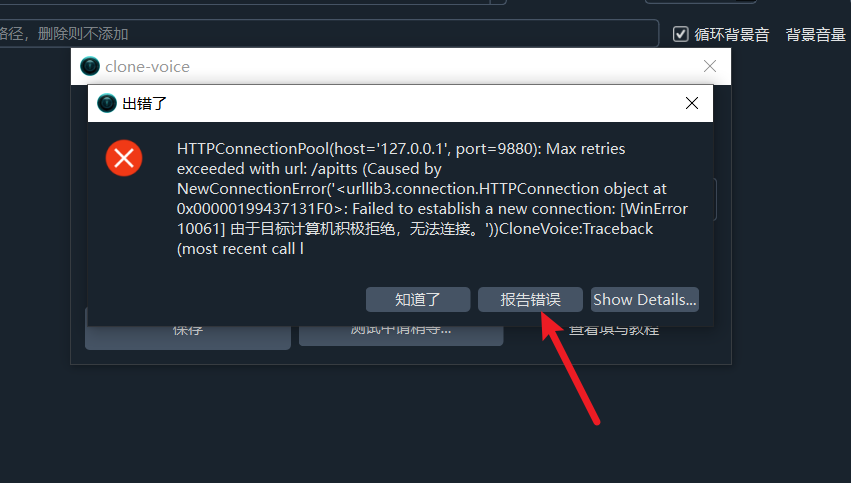
If the software pops up an error message, it is recommended to use this method first, as it is both simple and efficient.
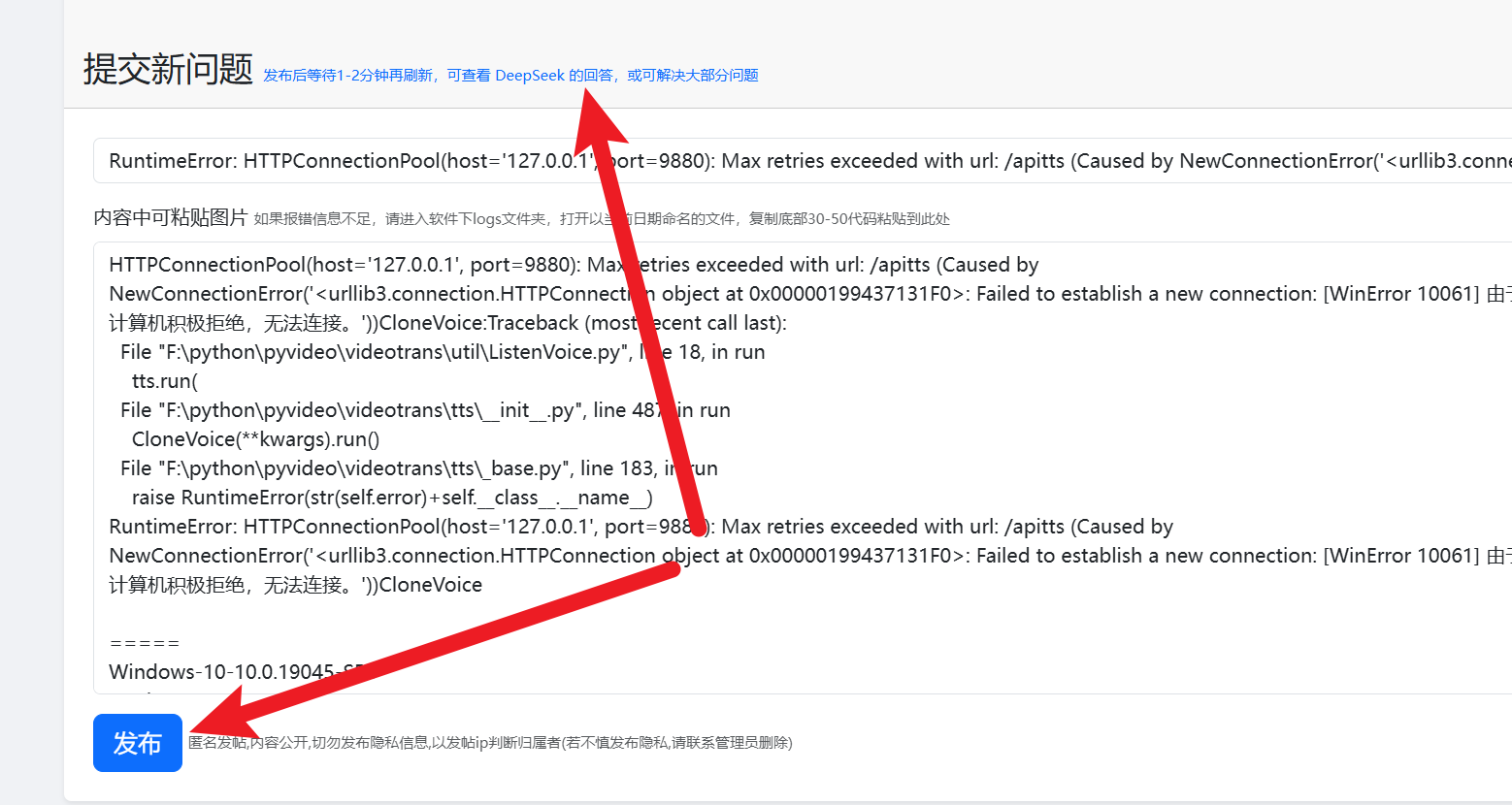
One-Click Error Report Click the "Report Error" button in the error prompt window. The software will automatically jump to the official forum at https://bbs.pyvideotrans.com and pre-fill most of the necessary error information for you. You just need to click the "Publish" button to complete your question submission. The entire process requires no registration or login.
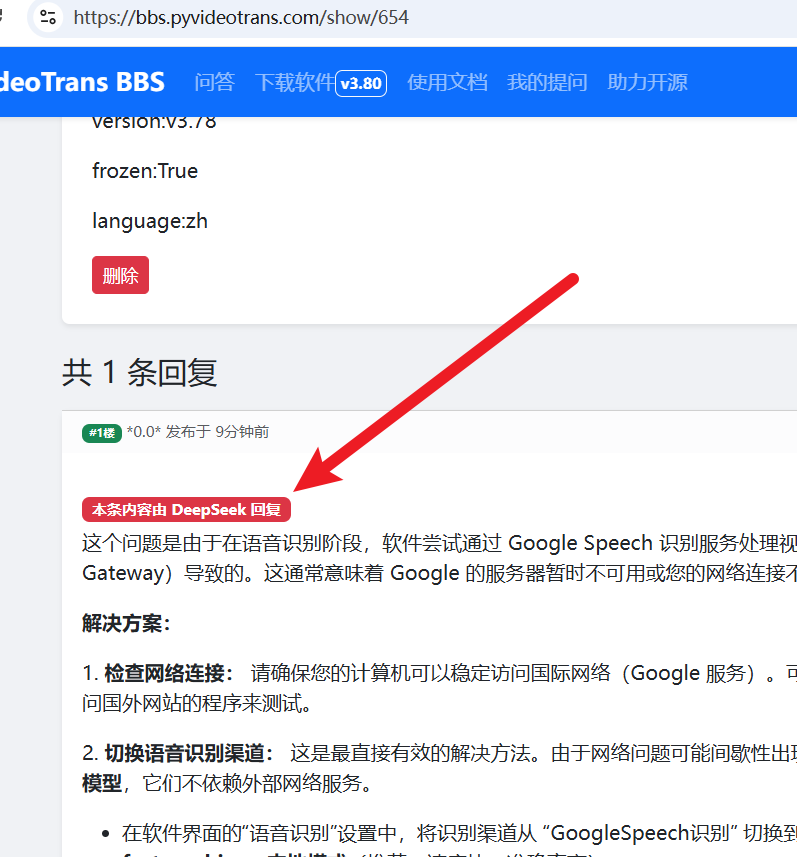
Get AI Solutions After the question is successfully published, the AI assistant DeepSeek will immediately start analyzing your issue. Please wait patiently for one to two minutes, then refresh the page to see the solution provided by DeepSeek. In most cases, this can resolve the majority of common problems.
Method 2: Manually Post a Question on the Official Forum
If you encounter other issues that cannot be resolved by the above method, or if you wish to describe your situation in more detail, you can manually visit the official forum https://bbs.pyvideotrans.com via your browser to ask a question.
Similarly, no registration or login is required. To help the AI and other developers assist you more accurately, please try to provide the following information in your post:
- Your Operating System (e.g., Windows 11, macOS Sonoma)
- The Version Number displayed in the top-left corner of the software
- Detailed Error Message
- The last ~30 lines from the bottom of the latest log file in the
logsdirectory when the error occurred
After submitting your question, DeepSeek will automatically generate a reply within one or two minutes, providing you with a solution. 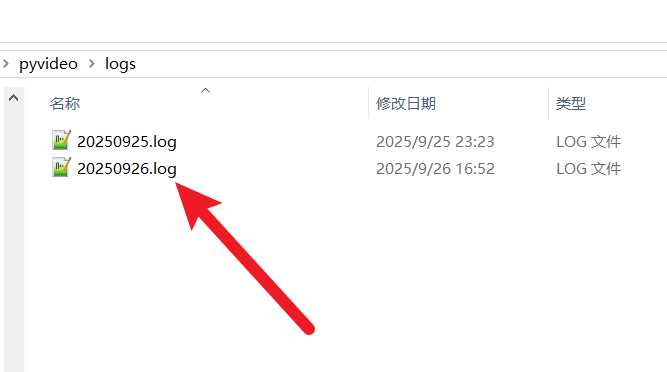
After successful posting, please wait a moment and refresh the page to view the professional answer from DeepSeek.