
TTS Channel: GPT-SoVITS
What is GPT-SoVITS
GPT-SoVITS is a powerful open-source multilingual text-to-speech (TTS) project supporting Chinese, English, Japanese, Korean, and more. Key features include:
- Zero-shot TTS: Generate speech from just a 5-second voice sample
- Few-shot TTS: Fine-tune the model with as little as 1 minute of training data for better voice similarity and naturalness
- Cross-language support: Synthesize in languages different from the training data — currently English, Japanese, Korean, Cantonese, and Chinese
What's New in GPT-SoVITS v2
- Added Korean and Cantonese support
- Improved text front-end processing
- Expanded base model training data to 5,000 hours
- Better quality synthesis from low-quality reference audio (e.g., clipped frequencies, muffled web audio)
GPT-SoVITS User Manual: https://www.yuque.com/baicaigongchang1145haoyuangong/ib3g1e
Prerequisites
| Requirement | Details |
|---|---|
| pyVideoTrans version | v3.66 or higher |
| GPT-SoVITS version | v2 recommended (natively supported) |
| Hardware | NVIDIA GPU recommended (CPU also works) |
| Reference audio format | WAV, 5–10 seconds duration |
Important: You must use the official GPT-SoVITS package or deploy from official source code. Third-party API implementations may be incompatible and cause errors in pyVideoTrans.
Deployment Steps
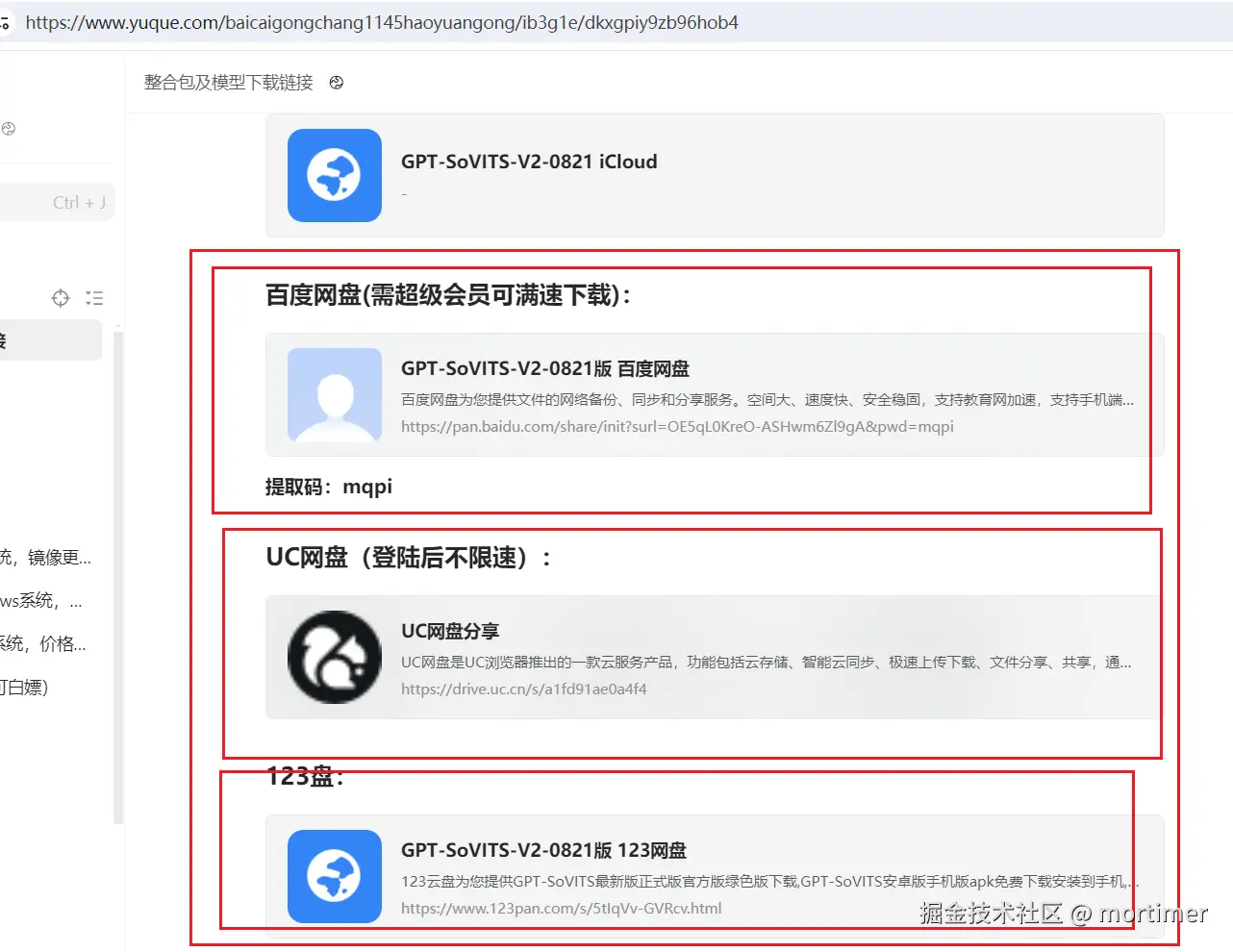
Step 1: Download the Package
Download the official GPT-SoVITS package: https://www.yuque.com/baicaigongchang1145haoyuangong/ib3g1e/dkxgpiy9zb96hob4
Step 2: Start the API Service
- Navigate to the GPT-SoVITS folder
- Type
cmdin the address bar and press Enter to open a terminal - Run the following command to start the API service:
.\runtime\python api_v2.py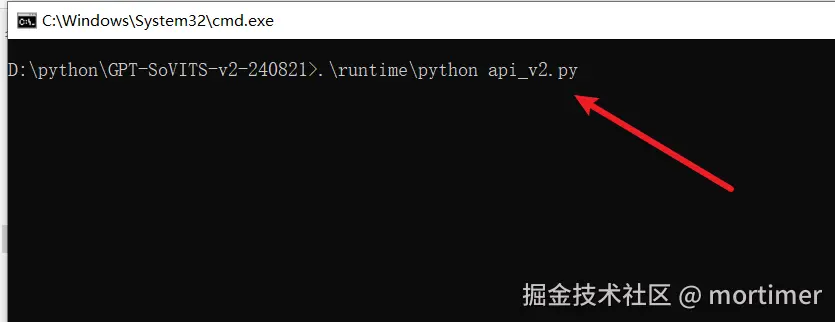
The API service must be running to use it in pyVideoTrans! The default port is
9880.
Step 3: Configure pyVideoTrans
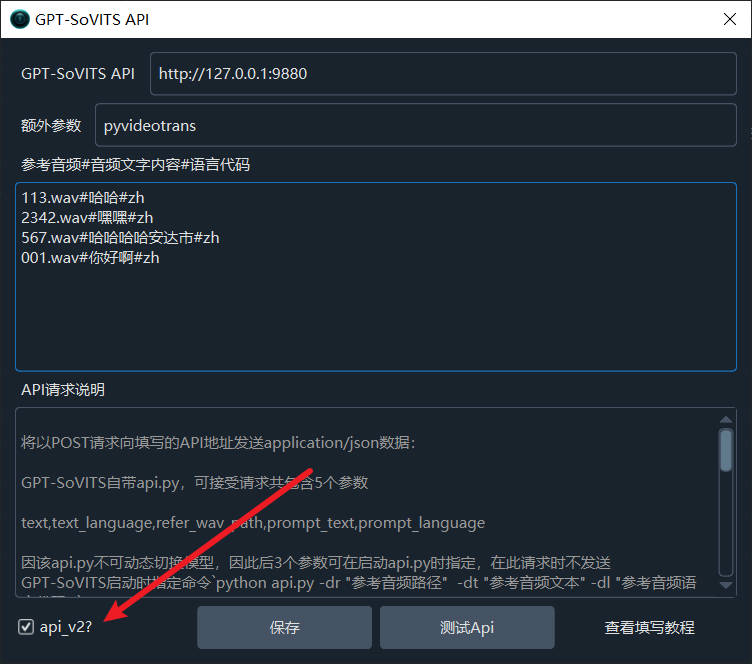
1. Enter the API Address
Open pyVideoTrans and go to: Menu → TTS Settings → GPT-SoVITS
Enter in the API text box:
http://127.0.0.1:9880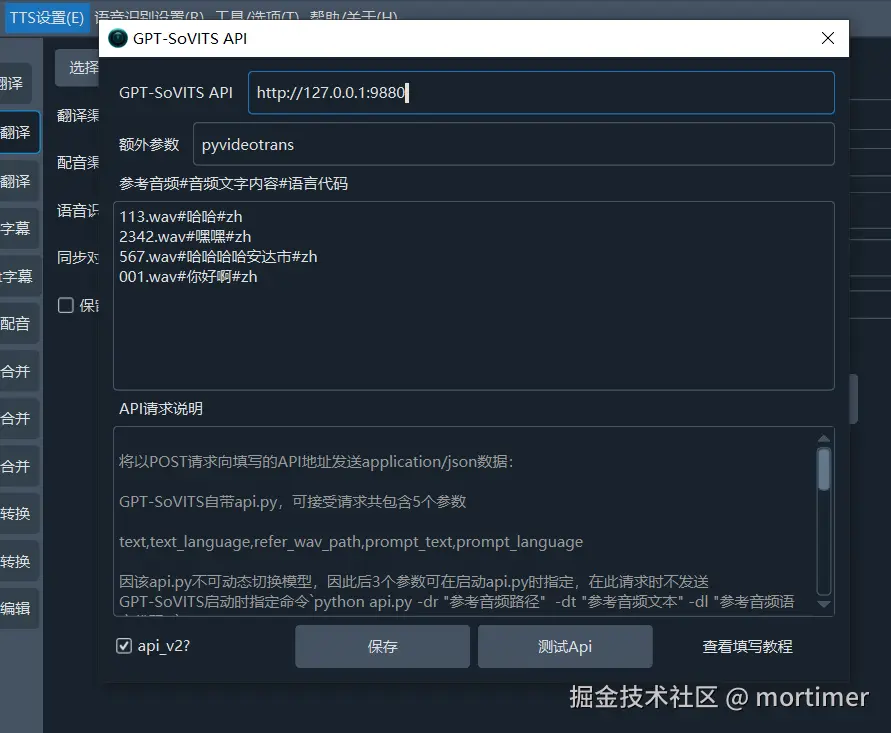
Note: The default port is 9880. If you changed the port, update the API address accordingly. For local deployment, use
127.0.0.1instead of0.0.0.0.
2. Configure Reference Audio
Reference audio must be WAV format, 5–10 seconds duration, or you'll get a 400 Client error.
Reference audio is the source audio GPT-SoVITS uses to clone the voice. Steps:
- Prepare a WAV audio file (e.g.,
1.wav, 5 seconds long, containing "What a lovely day, pouring rain falling down") - Copy this file to the GPT-SoVITS folder, in the same directory as
api_v2.py - In the "Reference Audio" text box, enter the following format:
filename.wav#text corresponding to the audio#language code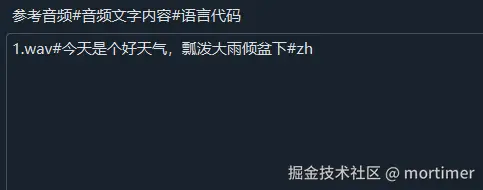
Language codes:
zhfor Chinese,enfor English,jafor Japanese,kofor Korean.
If you store reference audio files in the wavs subfolder within the GPT-SoVITS directory, the path should be:
wavs/1.wav#What a lovely day, pouring rain falling down#zh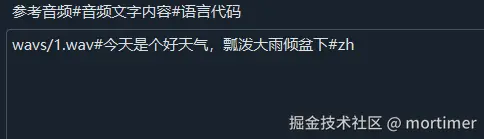
3. Check the api_v2? Option
If you're running api_v2.py, make sure the "api_v2?" checkbox is selected.
4. Test the Connection
Click "Test" — if no errors appear, configuration is successful.
Using in pyVideoTrans
After configuration, select "GPT-SoVITS" from the "TTS Channel" dropdown on the main screen.
Supported features:
- Single video dubbing: Select GPT-SoVITS as the TTS channel on the main screen
- Batch dubbing: Select GPT-SoVITS in the batch dubbing interface
- Multi-character dubbing: Assign different reference audio to different characters
Reference Audio Requirements
| Item | Requirement |
|---|---|
| Format | WAV only |
| Duration | 5–10 seconds (ideal); under 3 seconds will cause errors |
| Content | Clear pronunciation, no background noise |
| Location | Same directory as api_v2.py, or in the wavs subdirectory |
Source code verification (
_gptsovits.py): Reference audio over 10 seconds is auto-truncated to 9990ms. Under 3 seconds, it's skipped with an error: "Reference audio duration less than 3 seconds."
Troubleshooting
1. 404 Error During Testing
This is caused by using a third-party package whose API is incompatible with the official version. Download and use the official package.
2. "Remote Computer Actively Refused" or "Check if API Service Is Running"
Possible causes:
- API service not started → Run
.\runtime\python api_v2.pyfirst - Blocked by firewall → Disable the firewall or add GPT-SoVITS to the whitelist
- Wrong port number → Confirm you're using the default port 9880
3. 400 Client error
The reference audio format or duration doesn't meet requirements. Check:
- Is it in WAV format?
- Is the duration between 5–10 seconds?
4. Cannot Connect to GPT-SoVITS
Make sure:
- The GPT-SoVITS API service is running (terminal window must stay open)
- The API address is correct (
http://127.0.0.1:9880) - You're using the official version, not a third-party package