
Not recommended for beginners or users unfamiliar with Alibaba Bailian
Alibaba Bailian's API is quite confusing. Available models differ by selected region (e.g., North China 2, Singapore, East China). API URLs differ by region. API keys are region-specific — they won't work across regions. Changing the selected model may require changing the endpoint. You may encounter many unexpected issues.
Alibaba Bailian API / Qwen-MT / Qwen-ASR
What is this?
Alibaba Bailian (DashScope) offers various AI models, including:
- Qwen-MT series (
qwen-mt-plus,qwen-mt-turbo): LLMs optimized for machine translation, supporting 92 languages, with glossary intervention, domain hints, and memory capabilities. - Qwen text generation models (
qwen-plus,qwen-turbo, etc.): General-purpose LLMs, also suitable for subtitle translation. - Qwen3-ASR: For speech recognition (STT).
Prerequisites
- pyVideoTrans software
- Alibaba Bailian platform account (for API Key)
API Key Setup
Step 1: Register and log in to Alibaba Bailian
Open https://bailian.console.aliyun.com/?tab=model#/api-key and log in with your Alibaba Cloud account.
Step 2: Create an API Key
- Navigate to the API Key management page after logging in.
- Click "Create API Key".
- Copy the generated API Key.
Step 3: Activate Model Service
First-time use requires activating access to the corresponding model. Complete this in the Bailian console.
Configuring in pyVideoTrans
- Open Menu → Translation Settings → Alibaba Bailian (Qwen-MT).
- Fill in the API Key obtained from the Bailian platform.
- Click
Workspacein the top-right corner of the page, copy your workspace ID, return to pyVideoTrans, and paste it intoTTS Settings → Qwen TTS's workspace ID field.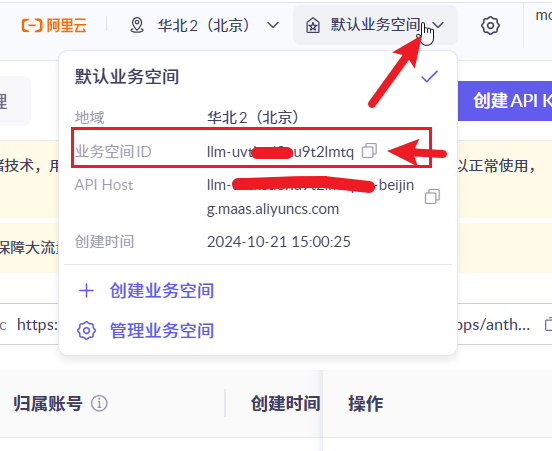
- Click Test to verify the connection.
- Save on success.
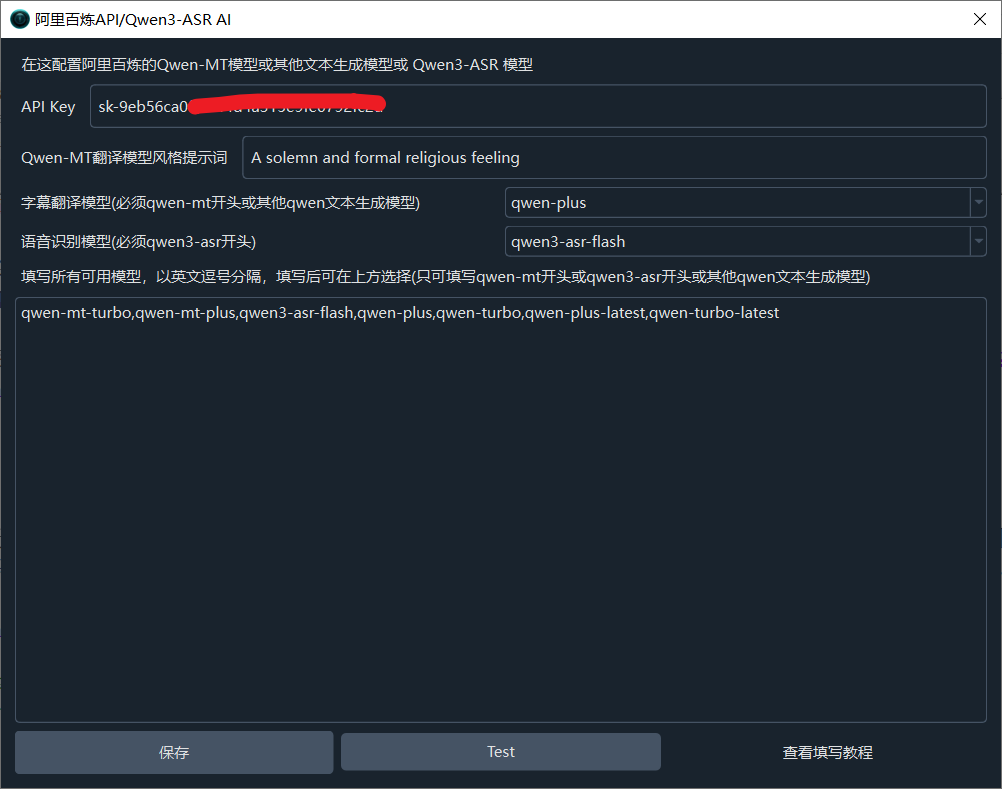
Using Qwen-MT for Subtitle Translation (Recommended)
Qwen-MT is specifically optimized for machine translation, offering higher translation quality.
Available models:
| Model | Features |
|---|---|
qwen-mt-plus | High-quality translation, suitable for professional use |
qwen-mt-turbo | Faster translation, cost-effective |
- Select
qwen-mt-plusorqwen-mt-turboin the model selection box. - On the main interface, select Alibaba Bailian as the translation service.
Qwen-MT supports glossary intervention and domain hints for better domain-specific translation. Details: https://bailian.console.aliyun.com/?tab=doc#/doc/?type=model&url=2860790
Using Qwen Text Generation Models for Subtitle Translation
In addition to Qwen-MT, general Qwen text generation models can also be used:
| Model | Description |
|---|---|
qwen-plus | General high-quality model |
qwen-turbo | General fast model |
Select the corresponding model in the model selection box.
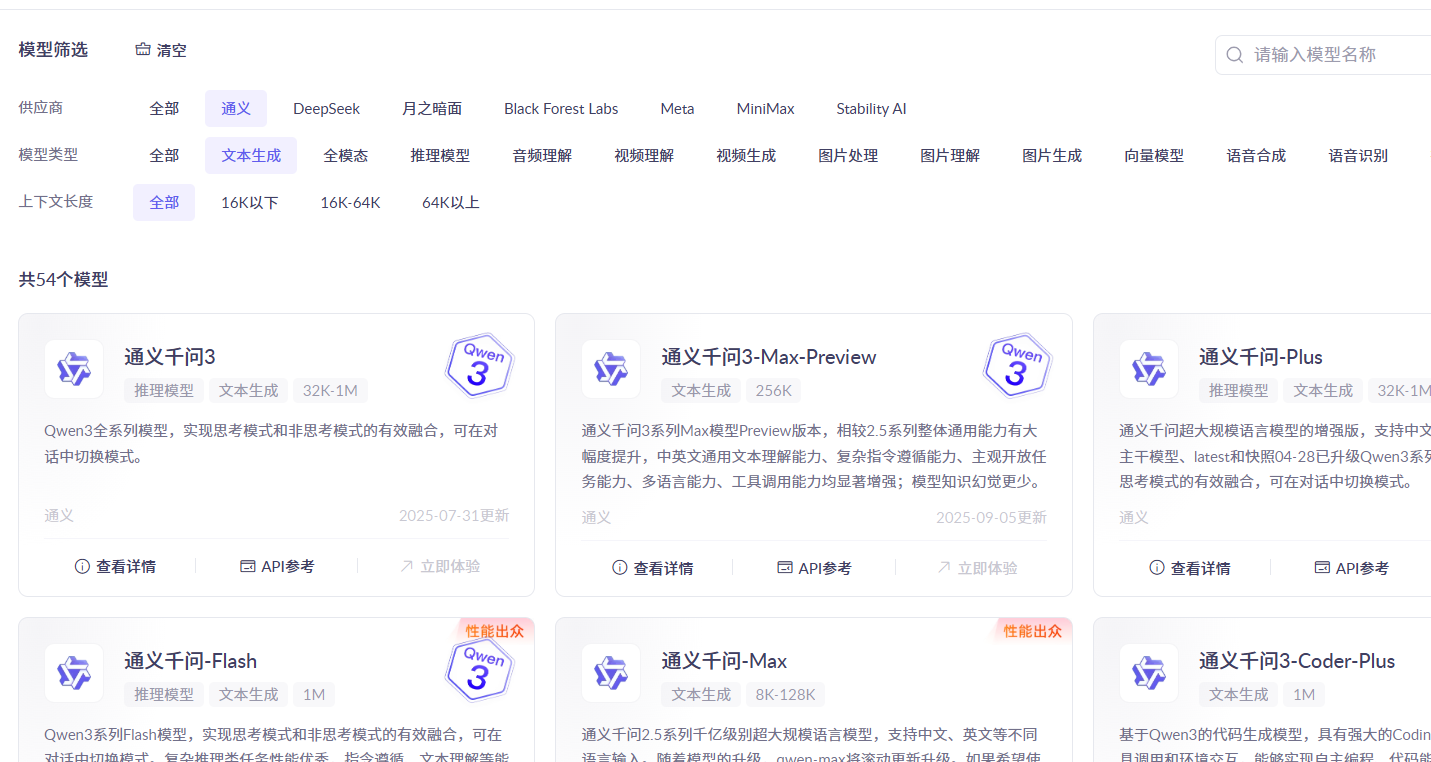
Using Qwen3-ASR for Speech Recognition
Also uses Alibaba Bailian's API. Configure the API Key in Translation Settings → Alibaba Bailian, select the speech recognition model, then choose Qwen3-ASR in the Speech Recognition service dropdown.
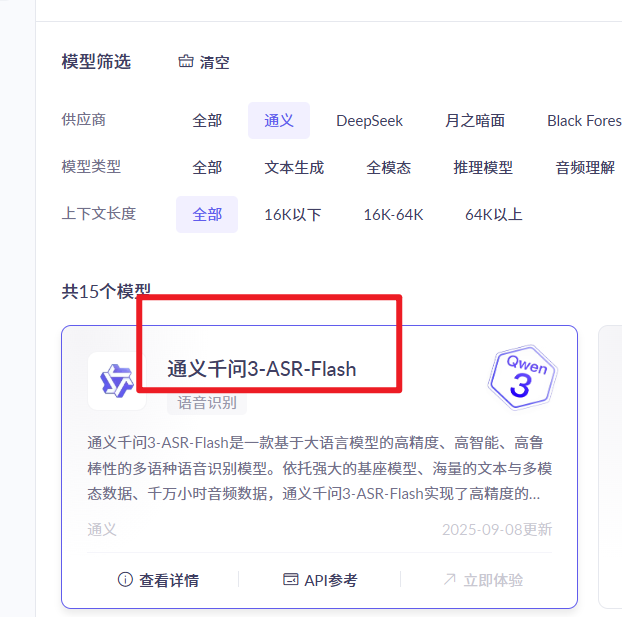
Recommended Configuration
| Item | Recommended Value |
|---|---|
| API Key | Obtain from Alibaba Bailian platform |
| Translation Model | qwen-mt-turbo (daily) or qwen-mt-plus (high quality) |
| Speech Recognition Model | qwen3-asr |
FAQ
| Issue | Cause | Solution |
|---|---|---|
| "Authentication Error" | Wrong API Key | Re-obtain API Key from Bailian platform |
| "Model not found" | Wrong model name | Use the recommended model names above |
| Empty translation results | Model not activated or insufficient balance | Confirm model activation and top up in Bailian console |
| Multimodal model errors | Non-text model selected | Qwen-MT requires text-only models — don't select multimodal models |