
DeepSeek AI Translation Channel
What is it?
DeepSeek is a well-known AI platform that offers high-quality language models. Since version 3.74, pyVideoTrans has integrated DeepSeek as a standalone translation channel. It uses an OpenAI-compatible interface, provides excellent translation quality, and supports deep thinking (reasoning) mode — making it a great choice for users who need top-tier translations.
Prerequisites
- pyVideoTrans v3.74 or higher
- A DeepSeek platform account (to obtain an API key)
How to Get an API Key
Step 1: Sign up and log in to DeepSeek
Go to https://platform.deepseek.com/api_keys and register with your phone number or email.
Step 2: Create an API Key
- After logging in, go to the API Keys management page
- Click "Create API Key"
- Give the key a name (e.g., "pyVideoTrans")
- Copy the generated API key (it is only shown once, so save it immediately)
Step 3: Add credit to your account
DeepSeek API requires paid usage. Go to https://platform.deepseek.com/account/topup to top up. New users typically receive some free credits.
Configuring in pyVideoTrans
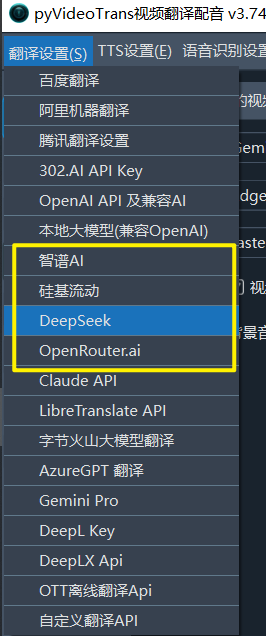
- Open the menu bar → Translation Settings → DeepSeek Settings
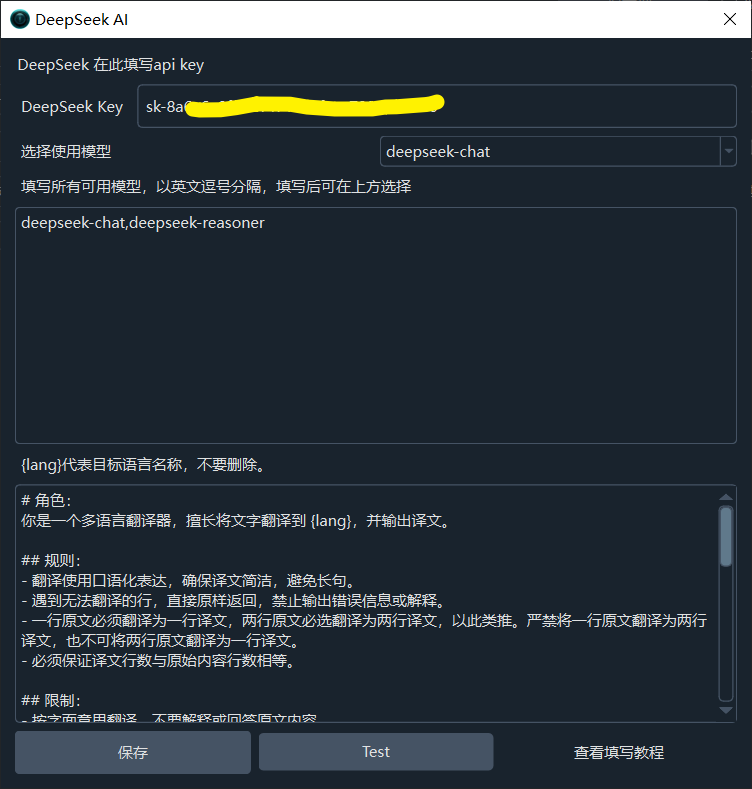
- Enter the API key from the DeepSeek platform in the API KEY field
- Select a model from the dropdown — recommended options are
deepseek-chat(general-purpose) ordeepseek-v4-flash - Optionally enable Deep Thinking mode for improved accuracy on complex translations
- Click the Test button to verify the connection
- Save after a successful test
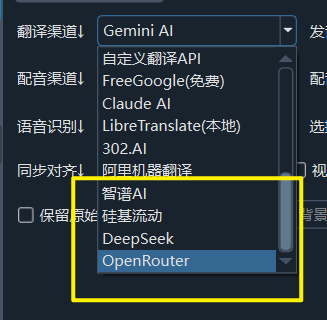
Recommended Configuration
| Setting | Recommended Value |
|---|---|
| API URL | https://api.deepseek.com/v1/ (default, no changes needed) |
| API Key | Obtained from DeepSeek platform |
| Model | deepseek-chat (general) or deepseek-v4-flash (fast) |
| Max Output Tokens | 65536 (default, rarely needs changing) |
| Deep Thinking | Enable as needed |
Troubleshooting
| Issue | Cause | Solution |
|---|---|---|
| "Authentication Error" | API key incorrect or expired | Log in to DeepSeek and generate a new API key |
| "Insufficient balance" | Account balance too low | Top up at https://platform.deepseek.com/account/topup |
| Empty translation result | Model returned unexpected format | Try a different model or adjust thread count |
| Connection timeout | Network issue | Check your network connection |
| Rate limit errors | Too many requests | Click "Translation Channel ↓" on the main interface and increase the pause delay to 10 seconds |