
Gemini Safety Filtering
When using Gemini AI for translation or speech recognition tasks, you may sometimes encounter errors such as "Response blocked due to safety".
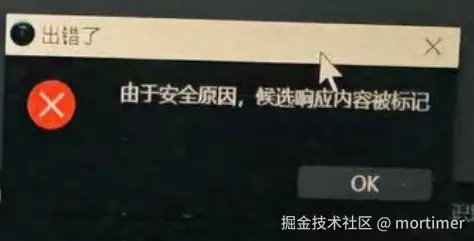
This is because Gemini has safety restrictions on the content it processes. Although the code allows for some adjustments and uses the most lenient "Block None" setting, the final decision on filtering is still determined by Gemini's comprehensive evaluation.
The adjustable safety filters for the Gemini API cover the following categories. Content outside these categories cannot be adjusted via code:
| Category | Description |
|---|---|
| Harassment | Negative or harmful comments targeting identity and/or protected attributes. |
| Hate speech | Rude, disrespectful, or profane content. |
| Sexually explicit | Contains references to sexual acts or other obscene content. |
| Dangerous | Promotes, facilitates, or encourages harmful acts. |
| Civic integrity | Queries related to elections. |
The following table describes the blocking settings that can be configured in code for each category.
For example, if you set the blocking threshold for the Hate speech category to Block only high, the system will block all parts with a high probability of containing hate speech content, but allow any parts with a low probability of containing dangerous content.
| Threshold (Google AI Studio) | Threshold (API) | Description |
|---|---|---|
| Block none | BLOCK_NONE | Always show, regardless of the probability of unsafe content. |
| Block only high | BLOCK_ONLY_HIGH | Block when the probability of unsafe content is high. |
| Block medium and above | BLOCK_MEDIUM_AND_ABOVE | Block when the probability of unsafe content is medium or high. |
| Block low and above | BLOCK_LOW_AND_ABOVE | Block when the probability of unsafe content is low, medium, or high. |
| Not applicable | HARM_BLOCK_THRESHOLD_UNSPECIFIED | Threshold unspecified, uses the default threshold for blocking. |
You can enable BLOCK_NONE in the code with the following settings:
safetySettings = [
    {
        "category": HarmCategory.HARM_CATEGORY_HARASSMENT,
        "threshold": HarmBlockThreshold.BLOCK_NONE,
    },
    {
        "category": HarmCategory.HARM_CATEGORY_HATE_SPEECH,
        "threshold": HarmBlockThreshold.BLOCK_NONE,
    },
    {
        "category": HarmCategory.HARM_CATEGORY_SEXUALLY_EXPLICIT,
        "threshold": HarmBlockThreshold.BLOCK_NONE,
    },
    {
        "category": HarmCategory.HARM_CATEGORY_DANGEROUS_CONTENT,
        "threshold": HarmBlockThreshold.BLOCK_NONE,
    },
]

model = genai.GenerativeModel('gemini-2.0-flash-exp')
model.generate_content(
                message,
                safety_settings=safetySettings
)However, it is important to note: even if all are set to BLOCK_NONE, it does not mean Gemini will allow all related content. It will still assess safety based on context and may filter accordingly.
How to reduce the probability of encountering safety restrictions?
Generally, the flash series models have more safety restrictions, while the pro and thinking series models have relatively fewer. You can try switching between different models. Additionally, when potentially sensitive content is involved, sending less content at once and reducing the context length can also help lower the frequency of safety filtering to some extent.
How to completely disable Gemini's safety judgment and allow all the above content?
Bind a foreign credit card and switch to a monthly-paid premium account.