
🧠 Deploy Your WhisperX Web UI + API Locally with One Click, Featuring Speaker Diarization!
WhisperX is a powerful speech recognition model that also supports Speaker Diarization. However, the official version is only a command-line tool, which isn't very user-friendly for beginners and doesn't provide an API.
That's why I created an enhanced version: whisperx-api! It builds upon the original model and adds:
- ✅ Local Web Interface — Open your browser and use it, upload files for one-click transcription.
- ✅ OpenAI-Compatible API — Can replace the original Whisper API, easily integrated into your projects.
- ✅ Speaker Diarization — Automatically identifies and labels different speakers.
- ✅ One-Click Launch — Uses the
uvtool for automatic environment setup.
The final result looks like this👇 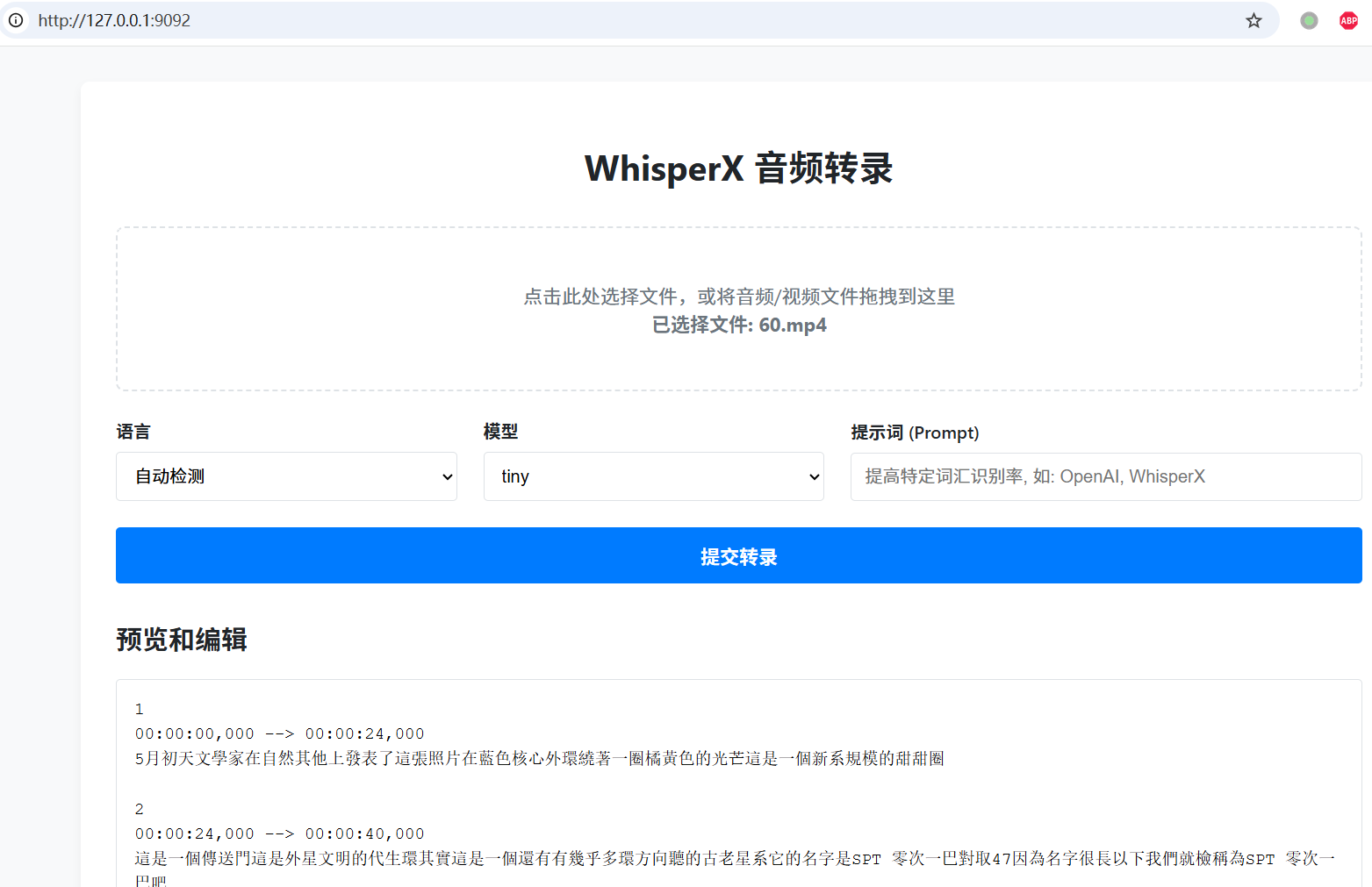
🧰 Preparation: Your "Toolkit" Before Hitting the Road
Before you start, please prepare the following items👇
1️⃣ A Computer
- Recommended Specs: NVIDIA GPU (6GB VRAM or more).
- No GPU? No Problem: It can run on CPU, but it will be slower.
2️⃣ Essential Software (Important for Beginners!)
We need the following 2 tools:
- uv: A super-fast Python package manager. Use it to set up the environment with one command.
- FFmpeg: A powerful audio/video processing tool for format conversion.
⚠️ Note: For detailed installation guides for
uvandffmpeg, please refer to my dedicated tutorial: 👉 https://xxxx.com)
3️⃣ VPN / Proxy
WhisperX needs to download models from servers abroad. Please ensure your VPN/proxy is enabled and stable, otherwise the models cannot be downloaded.
🚀 Get Your AI Service Running in Three Easy Steps!
✅ Step 1: Download the Project Code (Only app.py and index.html)
Visit the project homepage: https://github.com/jianchang512/whisperx-api
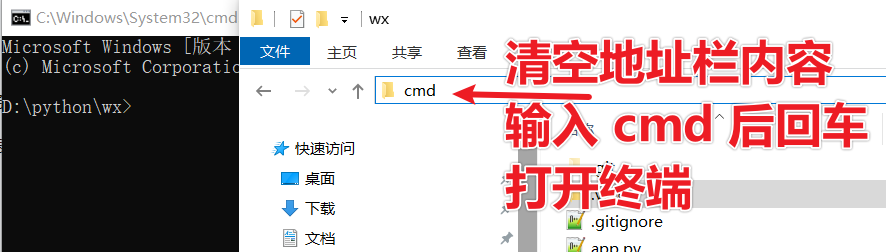
Click the green "Code" button → "Download ZIP", then extract the archive and navigate into the folder containing the app.py and index.html files.
Clear the address bar in the folder, type cmd, and press Enter to open a black terminal window.
✅ Step 2: Get the "Pass" to Download the Speaker Diarization Model (Skip if you don't need this feature)
The speaker diarization model requires agreeing to their terms before download. Therefore, you need to "sign the agreement" on the Hugging Face website and obtain an access token. You must use a VPN for this step, otherwise the website won't load.
① Register and Log in to Hugging Face
Visit: https://huggingface.co/ Create a free account and log in.
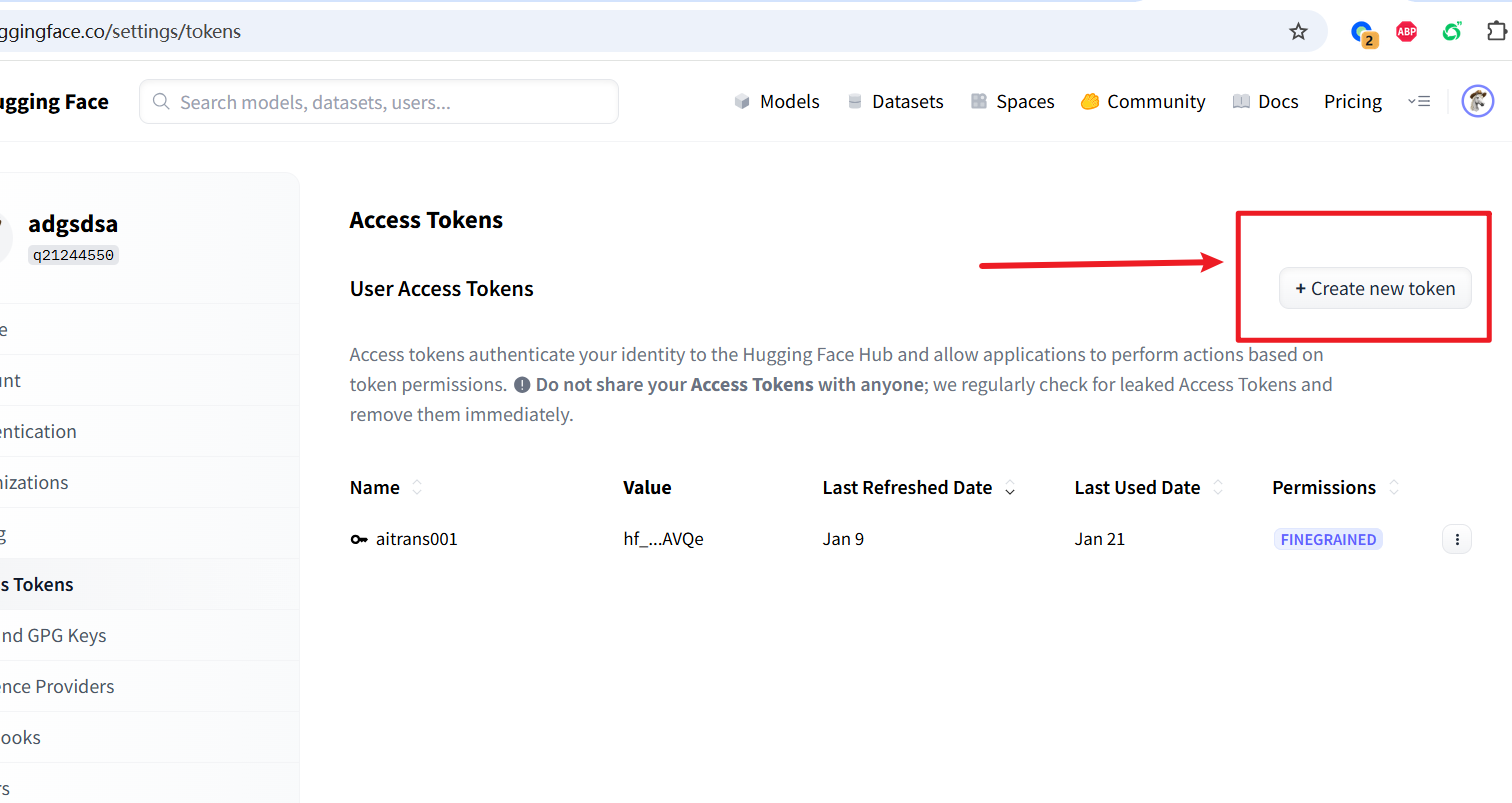
② Create an Access Token
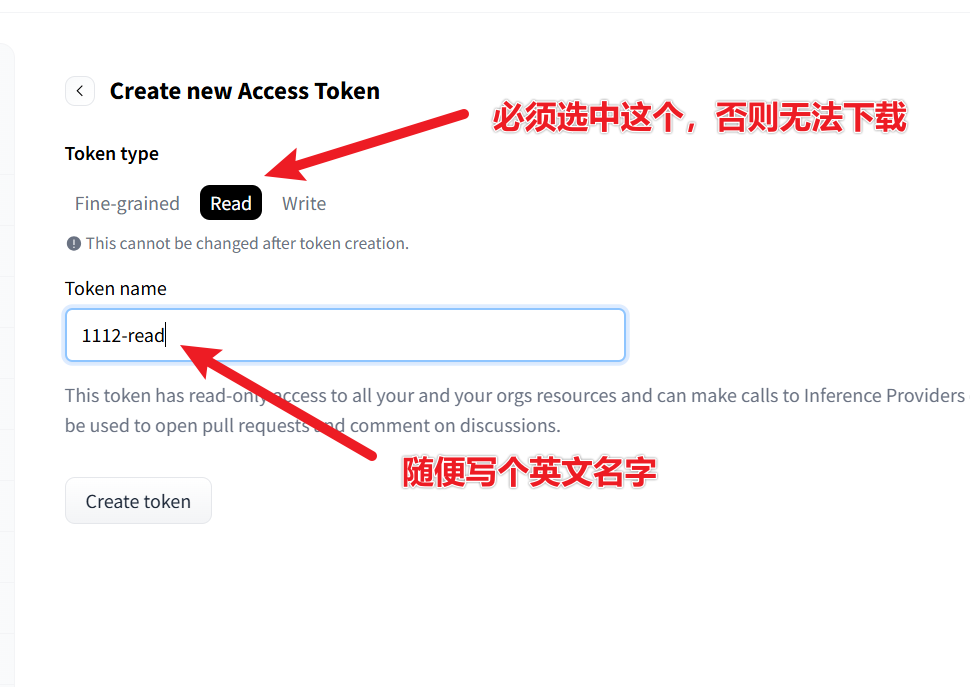
Visit: https://huggingface.co/settings/tokens Click "New token" → Select read permissions → Create and copy the token string starting with hf_.
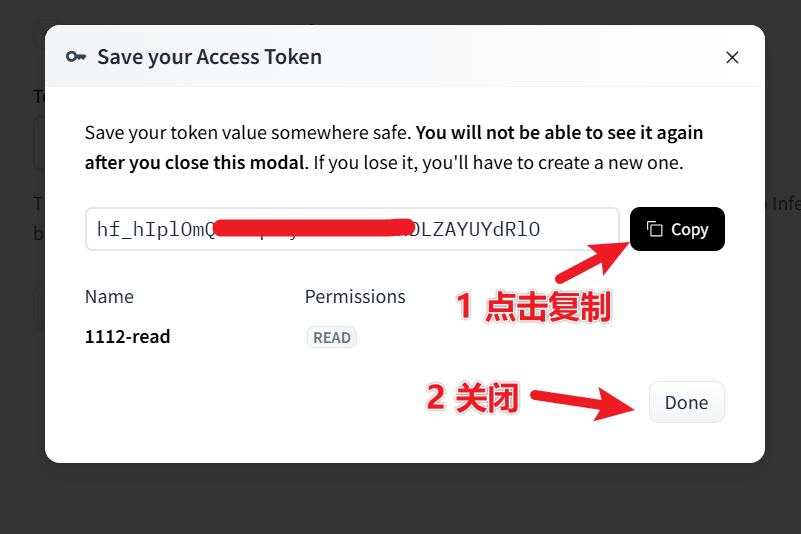
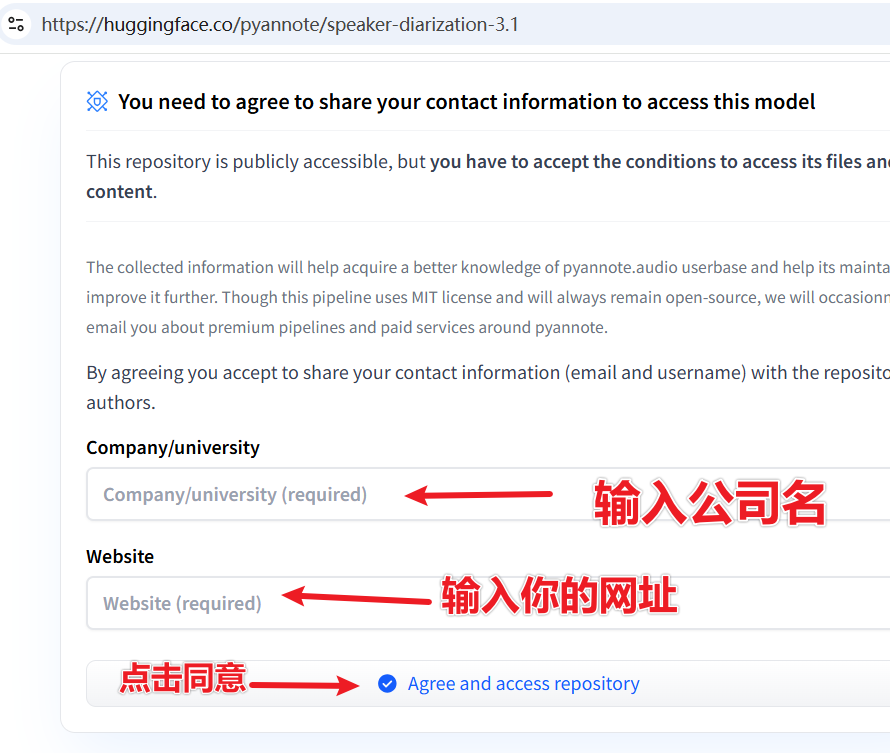
③ Agree to the Model Usage Terms (Must check the boxes!)
Visit the following two model pages one by one and agree to the terms:
- https://huggingface.co/pyannote/speaker-diarization-3.1
- https://huggingface.co/pyannote/segmentation-3.0
On each page, fill in the two displayed text boxes, then click the submit button.
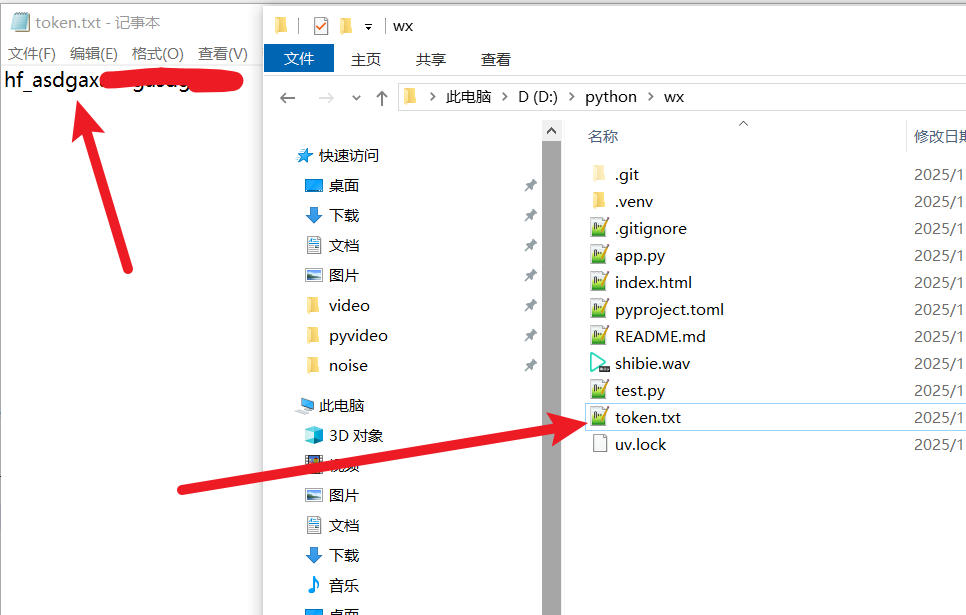
④ Save the Token
Return to your whisperx-api project folder. Create a new file named token.txt. Paste the copied hf_ token into it and save.
✅ Step 3: Launch with One Click!
Ensure your cmd terminal is still in the folder containing app.py, then run:
uv run app.pyOn the first run, uv will automatically download all dependencies and load the model. Depending on your network speed, this may take a few minutes to over ten minutes. Please be patient.
When you see output similar to the image below, it means the launch was successful!👇 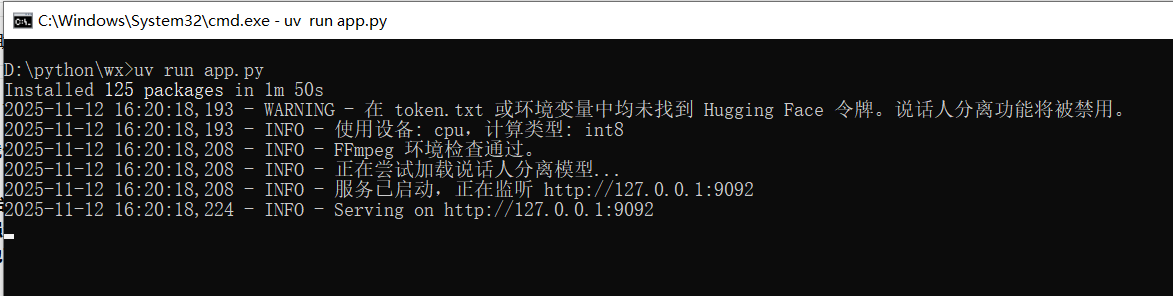
Your browser should automatically open this address: http://127.0.0.1:9092
You will see a clean and beautiful web interface👇 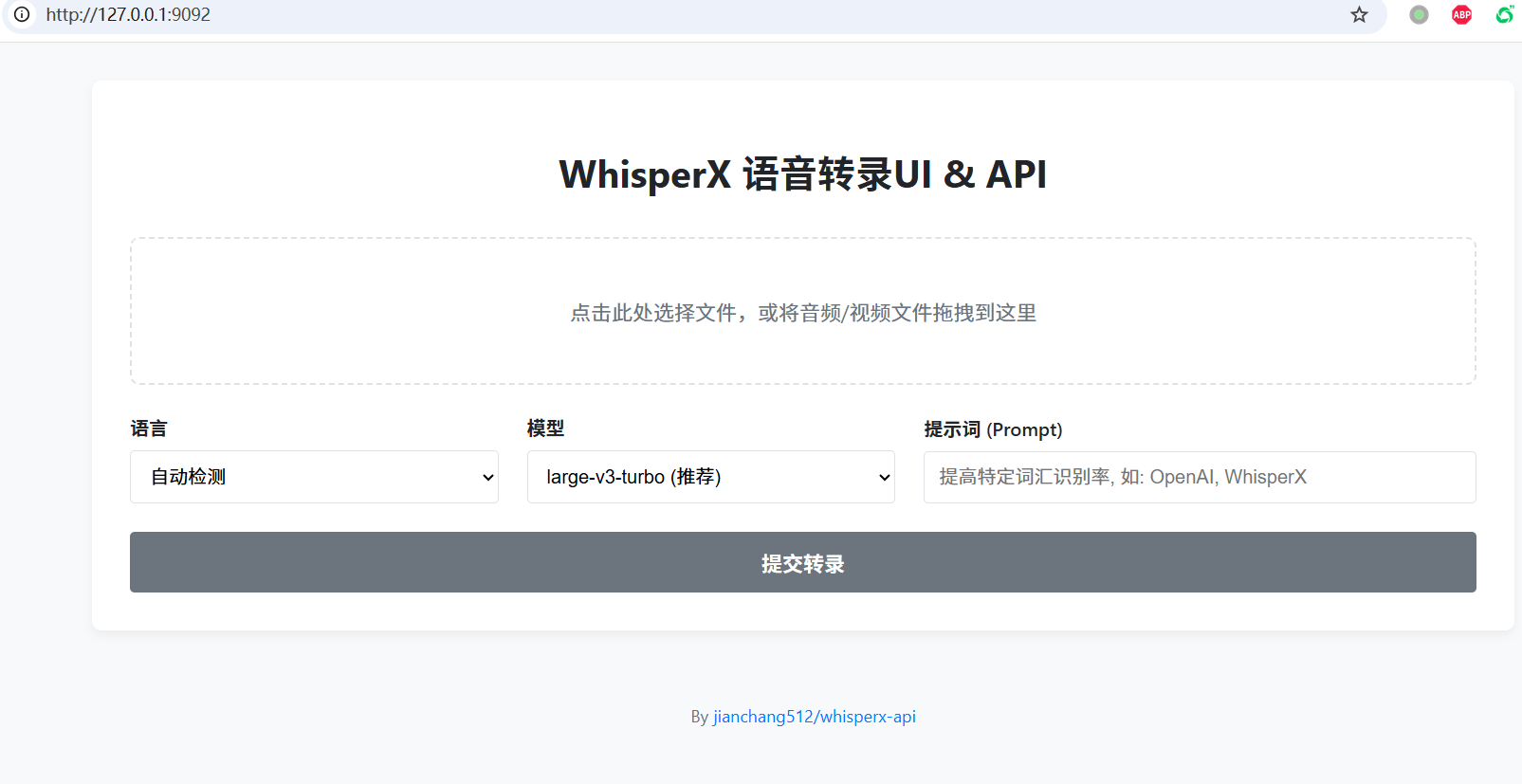
💡 User Guide
Now you can use it in two ways👇
🌐 Method 1: Web Interface
Upload File Click or drag and drop an audio/video file into the dashed box.
Set Options
- Language: Select the corresponding language if known, otherwise choose "Auto-detect".
- Model: Larger models are more accurate but slower.
large-v3-turbois recommended. - Prompt: You can enter names, technical terms, etc., to improve recognition accuracy, e.g.,
OpenAI, WhisperX, PyTorch.
Start Transcription Click "Submit Transcription" and wait for processing to complete.
View and Download The result will be displayed below. You can edit it directly and then click "Download SRT File" to save.
⚙️ Method 2: API Calls (For Developers)
Fully compatible with OpenAI's API format!
Example code (save as test_api.py):
import base64
from openai import OpenAI

# Note: base_url is your local service address
client = OpenAI(base_url='http://127.0.0.1:9092/v1', api_key='any-string-will-work')

audio_path = "shibie.wav"

with open(audio_path, "rb") as audio_file:
  transcript = client.audio.transcriptions.create(
    model="tiny",  # Options: 'tiny', 'base', 'large-v3', etc.
    file=audio_file,
    response_format="diarized_json"
  )

for segment in transcript.segments:
    speaker = segment.get('speaker', 'Unknown')
    start_time = segment['start']
    end_time = segment['end']
    text = segment['text']
print(f"[{start_time:.2f}s -> {end_time:.2f}s] Speaker: {speaker}, Text: {text}")❓ Frequently Asked Questions (FAQ)
Q: Getting "FFmpeg not found" error on startup? A: FFmpeg is either not installed or not added to the system PATH. Please double-check the installation steps in the "Essential Software" section.
Q: Clicking the transcription button does nothing? A: The first run downloads the model. Please wait patiently. If there's an error, check the terminal logs. It's usually because the VPN is not enabled or is unstable.
Q: Why are there no [Speaker1], [Speaker2] labels? A:
- They won't appear if there's only one speaker in the audio.
- Or your Hugging Face Token is misconfigured, or you haven't agreed to the terms. Please review Step 2.
Q: Processing is too slow? A: It is indeed slower in CPU mode. Users with an NVIDIA GPU will experience speeds tens of times faster.
🎉 Congratulations! You now have a fully local, web-based speech transcription service with speaker diarization!
Go ahead and try transcribing your podcasts, meeting recordings, or interview videos~ Have fun! 🎧💬