
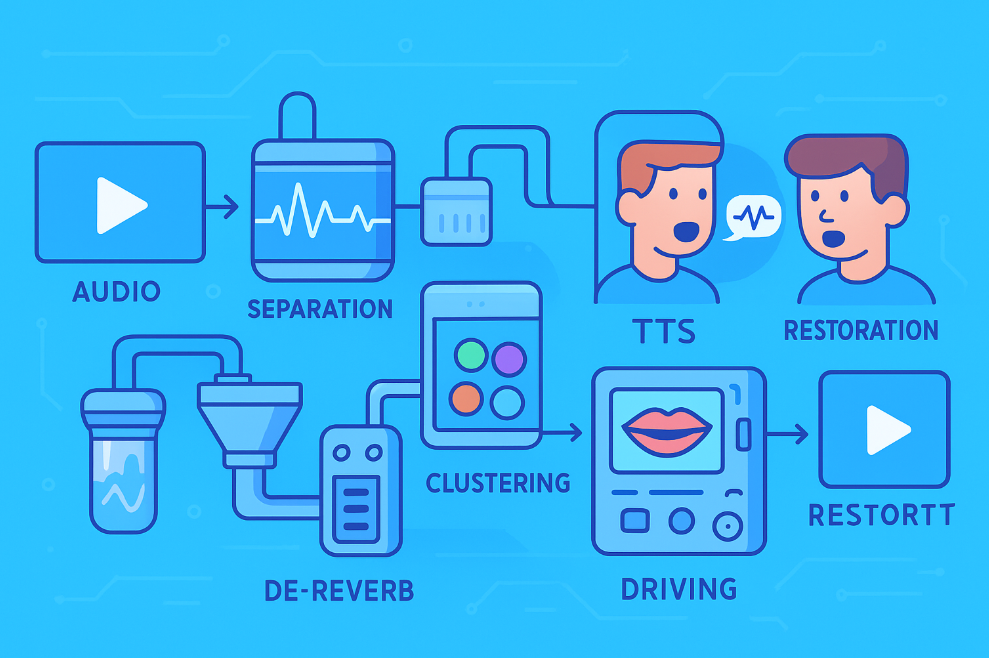
Services like ElevenLabs and HeyGen have pushed the experience of cross-language video translation to a near-"perfect" level with their closed-source offerings: Precise lip-sync, natural voice tone reproduction, and intact, undistorted video — this is practically the industrial standard.
However, the moment you consider on-premises deployment or open-source implementation, reality becomes harsh:
- Commercial APIs are expensive, restrictive, and offer poor controllability, with very few vendors to choose from.
- The open-source ecosystem is highly fragmented, with significant performance gaps between modules, making it difficult to polish the engineering pipeline to production-ready quality.
There is a particularly critical gap in the core capability of "modifying the original video character's lip movements based on new audio": While China's digital human technology ecosystem is indeed mature, it primarily focuses on "making a photo talk" or "synthesizing virtual anchors". Truly open APIs for "driving the lip movements of characters in original videos to align frame-by-frame with new speech" are extremely scarce. Currently, only a few like Keling and Alibaba offer some basic interfaces, but they come with many limitations and insufficient control, making them hard to use in real business scenarios.
Therefore, true video translation is far more than just a simple three-step pipeline of "ASR → Translation → TTS". The entire difficulty is concentrated into one term: Audio-Visual Consistency — how to ensure the original video character's lip movements, facial expressions, and micro-motions are strictly synchronized with the new voice after replacement, while maintaining the original video quality.
Audio-Visual Consistency
This refers to how, after replacing the voice, we can make the character's lip shape, facial expressions, lip dynamics, subtle head movements, and video quality details highly consistent with the new speech, without damaging the original video quality.
This article will attempt to systematically deconstruct a complete, self-deployable engineering pipeline, covering the full process from audio cleaning, voiceprint clustering, and phoneme-level alignment, to lip driving and video quality restoration, truly targeting the "last mile" of video translation.
1. Building High-Quality Reference Audio for Voice Cloning
The upper limit of voice cloning quality is 99% determined by the quality of the reference audio source. Audio from original internet videos almost inevitably contains:
- Background music
- Environmental noise
- Room reverberation
- Compression artifacts
If these issues aren't resolved, even the strongest subsequent TTS cloning will suffer from "garbage in, garbage out."
1. Vocal Separation + Dereverberation — Both Steps Are Essential
(1) Vocal/Accompaniment Separation
Recommended solution: UVR5 + MDX-Net model family
(2) Dereverberation
Just doing vocal separation is not enough. Original videos often have strong room reverberation, which can cause cloned voices to sound "electronic" or like they're in a "bathroom."
Recommended open-source solution: DeepFilterNet (https://github.com/Rikorose/DeepFilterNet)
pyVideoTrans currently only uses
UVR-MDX-NET-Voc_FTfor vocal separation and does not include a dereverberation step.
2. VAD → Voiceprint Clustering → Building Long Reference Audio
High-quality TTS typically requires 15–60 seconds of continuous, clean audio from the same speaker. However, original subtitle segments are only 2–10 seconds long, and videos with multiple speakers are very common.
- Precise VAD Segmentation
- Can use Silero VAD or WhisperX's built-in VAD
- Remove silence, segment into usable speech units
Extract Voiceprint Embeddings Recommended:
- Pyannote.audio (https://huggingface.co/pyannote/speaker-diarization-3.1)
- speechbrain related voiceprint models (https://github.com/speechbrain/speechbrain)
Cluster by Voiceprint to Distinguish Different Speakers
Concatenate Short Segments from the Same Speaker Obtain continuous 30~60 seconds of reference audio for TTS cloning.
pyVideoTrans currently uses Silero VAD + simple voiceprint distinction (eres2net / NeMo titanetsmall) and does not yet support concatenating segments from the same cluster.
2. Speech Synthesis and Temporal Alignment: Solving the Root Cause of "Audio-Video Desync"
Duration differences between languages are inevitable. Translating English to Chinese typically increases length by 20–50%. Without processing, this leads to:
- The video hasn't finished speaking, but the audio has already ended.
- Lip movement rhythm is clearly mismatched.
- The character's mouth moves with no sound, or speech occurs when the mouth is closed.
All mature industry solutions address this using phoneme-level precise alignment + duration control.
1. Phoneme-Level Forced Alignment
Standard Whisper only provides word-level timestamps, which are insufficient for lip driving. An ASR capable of providing phoneme-level alignment is essential.
Recommended: WhisperX (https://github.com/m-bain/whisperX)
pyVideoTrans currently does not integrate phoneme-level alignment and still uses standard Whisper.
2. TTS Isochrony Control
To achieve engineering-grade control, the pipeline should include at least the following three steps
(1) Limit Syllables/Word Count During Translation
Incorporate into the LLM Prompt:
- Maximum syllable count
- Constraints to align with the original sentence duration
Reduce duration deviation from the source.
(2) High-Naturalness Voice Cloning Models
Recommended (for Chinese-English bilingual):
- CosyVoice 2.0
- F5-TTS
- Index-TTS2
- Fish-Speech v1.5
Characteristics: High naturalness, stable cloning effect.
(3) Fine Temporal Stretching/Compression (Maintaining Pitch)
Use rubberband (https://breakfastquay.com/rubberband/) to control the TTS output duration within 0.9× – 1.2× of the original video segment's duration.
pyVideoTrans currently only supports API-level cloning and does not include the complete syllable control + duration control pipeline.
3. Visual Reconstruction: The True Core and Difficulty of Lip Driving
The goal is very clear: Move only the mouth, not the face. Do not degrade video quality.
The engineering effort and computational investment for the visual part are the highest in the entire pipeline.
1. Video Frame Processing Strategy Under Duration Differences
| Duration Difference | Recommended Processing Method |
|---|---|
| ≤20% | Audio rubberband fine-tuning + FFmpeg setpts alignment |
| >20% | Must use frame interpolation, generate static micro-motion frames if necessary |
Recommended Open-Source:
RIFE (Video Frame Interpolation) https://github.com/hzwer/Practical-RIFE
Stable Video Diffusion Generate natural micro-motions like blinking, slight head movements, etc.
pyVideoTrans currently only performs simple setpts time stretching.
2. "Face Locking" for Multiple People in Frame
Without binding identities to faces, background faces will inexplicably move their mouths, ruining the video.
Solution:
- Use InsightFace for face detection + face recognition (https://github.com/deepinsight/insightface)
- Bind each speaker's voiceprint ID to their corresponding face ID on screen
- Current speaker → only drive the corresponding facial region
- Other faces remain static
- Automatically skip inference for side-face/occluded frames
3. High-Fidelity Lip Driving
Current best open-source choice: MuseTalk (Tencent) Real-time inference, natural lip shape, excellent teeth texture, good quality preservation. https://github.com/TMElyralab/MuseTalk
Alternative: VideoReTalking Stable effect but slower. https://github.com/OpenTalker/video-retalking
pyVideoTrans currently has no lip driving capability.
4. Post-Processing: Video Quality Restoration and Final Synthesis
Lip driving models typically only infer on small regions like 96×96 or 128×128. Pasting this directly back into the video inevitably causes:
- Blurry mouth area
- Local mosaic artifacts
- Incomplete facial details
Face super-resolution is essential.
Recommended Open-Source Pipeline:
GPEN Fast, good facial texture restoration https://github.com/yangxy/GPEN
CodeFormer Excellent identity preservation, can be used as a compensation stage https://github.com/sczhou/CodeFormer
GFPGAN Classic, robust, can serve as a fallback in the pipeline https://github.com/TencentARC/GFPGAN
Finally, use FFmpeg to:
- Merge the new audio stream
- Synthesize the processed video stream
- Insert aligned subtitles
A Truly Industrial-Grade Video Translation Pipeline
Vocal Separation → Dereverberation → Voiceprint Clustering → Long Reference Audio → Phoneme-level ASR → Aligned Translation → High-Quality TTS Cloning → Duration Control → Face Recognition & Locking → MuseTalk Driving → GPEN/CodeFormer Restoration → FFmpeg Synthesis
It's likely that this pipeline's structure is not far from that of ElevenLabs / HeyGen, but using entirely open-source, self-deployable models.
Implementing this pipeline obviously requires significant hardware resources and considerable technical expertise. Given pyVideoTrans's positioning as an amateur/hobby project, the complete set of steps was not considered, missing the more challenging parts: dereverberation, voiceprint clustering & concatenation, phoneme-level alignment, face locking, high-fidelity lip driving, and face restoration.
To truly break through the "last mile" of video translation, every single step mentioned above must be implemented — none can be omitted.